
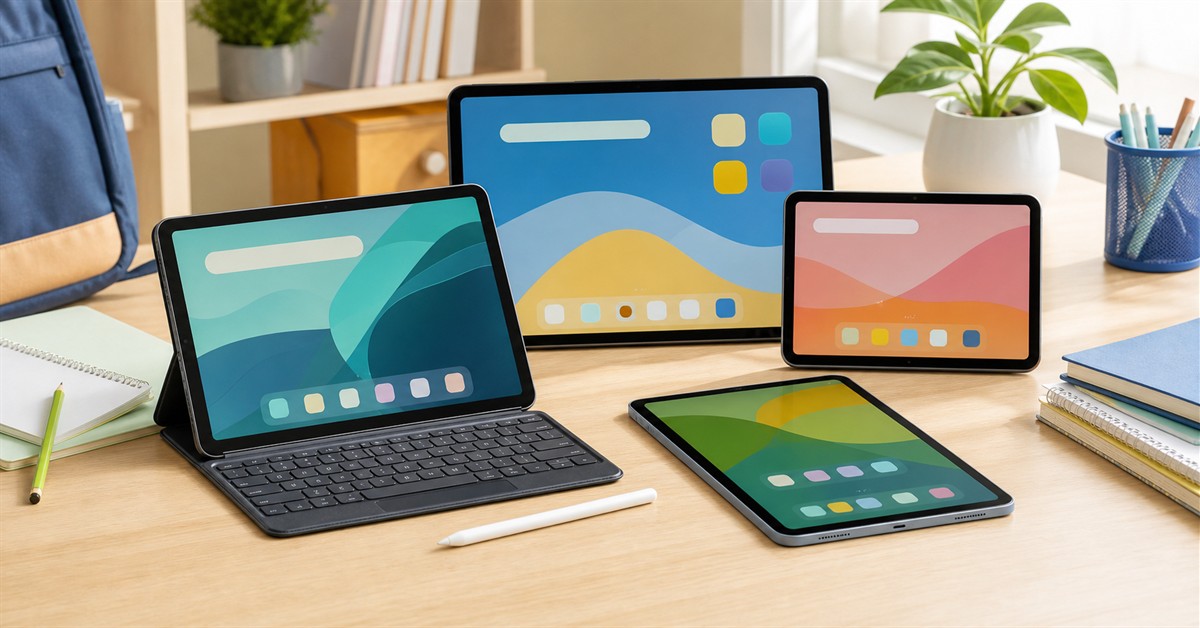
The best tablet under ₱15,000 in the Philippines in 2026 is usually an Android tablet, not an iPad. For most buyers, start with HONOR Pad X9a if you want a large screen and strong value, Redmi Pad Pro if the 128GB Wi-Fi model is still priced inside your cap, Samsung Galaxy Tab A11+ if Samsung support matters, or Infinix XPAD 20 Pro if you want a keyboard-and-pen style bundle for school.
This budget is good for online classes, PDFs, streaming, reading, school portals, Google apps, and light productivity. It is not the right budget for a serious laptop replacement, heavy gaming tablet, or professional drawing setup.
For the wider category, read our best tablets Philippines 2026 hub. If the student actually needs Windows, compare this with our best laptops under ₱15,000 Philippines guide, under-₱20,000 laptop guide, and student laptop guide.
Our top picks
- BEST OVERALLHONOR Pad X9a₱10,000-₱12,000Check price
- BEST PERFORMANCE STRETCHRedmi Pad Pro₱14,000-₱15,000Check price
- BEST SAMSUNGSamsung Galaxy Tab A11 Plus₱14,000-₱15,000Check price
- BEST SCHOOL BUNDLEInfinix XPAD 20 Pro₱10,000-₱13,000Check price
- BEST CHEAP MAINSTREAM PICKRedmi Pad SE₱6,000-₱10,000Check price
TL;DR: best tablets under ₱15,000 Philippines 2026
| Pick | Best for | Typical buying band | Main caveat |
|---|---|---|---|
| HONOR Pad X9a | Best overall value | ₱10,000-₱12,000 | Check exact RAM/storage and accessory bundle |
| Redmi Pad Pro | Best performance stretch | ₱14,000-₱15,000 | Only some variants fit the budget |
| Samsung Galaxy Tab A11+ | Best Samsung under ₱15k | ₱14,000-₱15,000 | 5G and higher variants exceed budget |
| Redmi Pad SE | Best cheap mainstream tablet | ₱6,000-₱10,000 | Basic performance only |
| realme Pad 2 | Best LTE media tablet if discounted | ₱12,000-₱15,000 | Older model, check software and stock |
| HONOR Pad X8b | Best newer family tablet | ₱10,000-₱11,000 | 4GB RAM is modest |
| Infinix XPAD 20 Pro | Best keyboard-and-pen bundle value | ₱10,000-₱13,000 | Accessory and update confidence is weaker than Samsung/iPad |
| TECNO MEGAPAD 11 | Best specs-per-peso cheap pick | ₱8,000-₱11,000 | Less proven tablet ecosystem |
| Redmi Pad SE 8.7 4G | Best compact 4G tablet | ₱5,000-₱8,000 | Small, lower-resolution screen |
| HUAWEI MatePad SE 11 | Best Huawei budget option | ₱9,000-₱13,000 | Google app experience must be checked |
If you only want one safe shortlist: HONOR Pad X9a for general school and streaming, Redmi Pad Pro if you can catch the right variant under ₱15k, Samsung Galaxy Tab A11+ for brand support, Redmi Pad SE for a cheaper household tablet, and Infinix XPAD 20 Pro if the bundle includes the accessories you actually need.
How to choose a tablet under ₱15,000
At this price, do not chase the biggest screen blindly. A tablet under ₱15,000 should be judged by the daily tasks it can do without feeling frustrating.
Prioritize these:
- At least 128GB storage if the student downloads modules, videos, PDFs, and offline files.
- 6GB or 8GB RAM when available, especially for multitasking.
- A 10.5-inch to 12-inch screen for school readings, split-screen notes, and streaming.
- Keyboard and stylus support only if the user will actually type or write by hand.
- Case availability before buying, especially for kids.
- Official warranty and seller reputation over the lowest listing price.
- Google app compatibility if the school uses Google Classroom, Meet, Drive, Docs, or Gmail.
The biggest mistake is buying a no-name tablet with a huge spec sheet but weak software, no case options, poor after-sales support, and unclear updates. For students and families, reliability beats flashy numbers.
Best tablets under ₱15,000 in the Philippines
HONOR Pad X9a
Our verdict: The best all-around under-₱15k tablet for most Filipino students because it balances screen size, battery, storage, and price.
The HONOR Pad X9a is the first tablet most under-₱15k buyers should check because it hits the practical middle: large screen, decent Snapdragon chip, 128GB storage, large battery, and pricing that usually leaves room for a case or keyboard. It is not a premium tablet, but it feels more intentional than many cheap generic slates.
It makes sense for high school and college students who mostly read PDFs, join calls, watch lectures, manage notes, and use browser-based school tools. The 11.5-inch screen is more comfortable than compact tablets, and the 120Hz panel is a nice quality-of-life bonus for scrolling.
The main thing to verify is the exact bundle. Some listings are tablet-only, while others include a keyboard or promo items. If you need handwriting, confirm stylus compatibility and palm rejection expectations before buying.
What we like
- Strong all-around value
- Large 11.5-inch screen
- Good for PDFs, classes, streaming, and light work
- Often available below ₱15k with accessories
- Better screen experience than very cheap tablets
Watch out for
- Not a laptop replacement
- Accessory bundles vary by seller
- Update confidence is weaker than Samsung/iPad
- Stylus expectations must be checked
Redmi Pad Pro
Our verdict: The best performance stretch if you can find the 8GB/128GB Wi-Fi model at or below ₱15,000.
Redmi Pad Pro is the stretch pick because it brings a bigger 12.1-inch 2.5K-class screen, stronger Snapdragon 7s Gen 2 performance, quad speakers, and a large battery into a price range that sometimes still fits under ₱15,000. Compared with cheaper Redmi Pad SE models, it feels more future-proof for multitasking and heavier apps.
The catch is variant discipline. The 8GB/128GB Wi-Fi model is the one to hunt for. Higher storage, 5G, pen, and keyboard packages can push the total beyond the article budget very quickly.
Choose this if the tablet will be used daily for study, media, and light productivity. Skip it if the price has already climbed above ₱15k or if you need the pen and keyboard inside the same strict budget.
What we like
- Best performance potential under this cap
- Large 12.1-inch display
- Good speakers and battery
- Better for multitasking than cheaper budget tablets
- Useful for students who keep many files open
Watch out for
- Only some variants fit under ₱15k
- Keyboard and pen usually add cost
- Bigger and heavier than compact tablets
- Watch for gray-market listings
Samsung Galaxy Tab A11 Plus
Our verdict: The best Samsung choice near ₱15,000 if you want mainstream brand support, accessories, and a familiar Android tablet experience.
The Galaxy Tab A11+ is the Samsung option for buyers who do not want to gamble on lesser-known tablet brands. It has an 11-inch display, 90Hz refresh rate, 128GB storage in the common Wi-Fi variant, expandable storage, and Samsung's local retail presence.
It is not the cheapest tablet in this guide. You are paying for Samsung polish, service channels, accessory availability, and ecosystem familiarity. For parents buying a school tablet for a child, those practical advantages can matter more than raw specs.
Keep the budget line strict. The Wi-Fi variant can fit around ₱15k, but 5G versions, higher variants, book covers, and accessories can exceed the cap. Compare the final checkout total, not just the headline tablet price.
What we like
- Best mainstream brand confidence
- Samsung service and accessory ecosystem
- Good family and student tablet
- Expandable storage
- Better resale confidence than obscure brands
Watch out for
- Costs more than Redmi, HONOR, TECNO, and Infinix options
- 5G variant exceeds budget
- Not a premium S Pen tablet
- Specs-per-peso is not the strongest
Redmi Pad SE
Our verdict: The practical cheap tablet for streaming, school portals, readings, and household use.
Redmi Pad SE is the conservative budget pick. It has been widely available, has a large 11-inch display, and is easy to recommend for families who need a simple tablet for YouTube, Netflix, PDFs, school portals, reading, and basic browsing.
It is not powerful. It should not be bought for serious gaming, heavy multitasking, video editing, or laptop replacement work. But for a child, younger student, or shared household tablet, it can be enough.
Buy the variant with enough storage, then put the savings into a rugged case and screen protector. For many families, that is a better use of budget than stretching to a faster tablet with no protection.
What we like
- Affordable and widely known
- Large screen for the price
- Good for videos, PDFs, and basic classes
- Case options are easier to find
- Leaves budget for accessories
Watch out for
- Basic performance
- Not ideal for multitasking
- Weak stylus workflow
- Long-term update confidence is limited
realme Pad 2
Our verdict: A good LTE and media-tablet choice when discounted stock is available below ₱15,000.
The realme Pad 2 is older than some picks here, but it remains worth checking when the 6GB/128GB version is discounted. Its appeal is simple: big 11.5-inch display, Helio G99 performance, 4G LTE support, quad speakers, and a large battery.
It is useful for students who need mobile data, families who stream a lot, and buyers who want a media-first tablet without paying Samsung or iPad prices. The 4G option is the main reason to keep it on the shortlist.
Because it is an older model, check software status, warranty, and whether the listing is from a reliable official or authorized seller. Do not pay close to ₱15k for old stock if newer picks are cheaper.
What we like
- Good media tablet when discounted
- 4G LTE option
- Large screen and speakers
- Decent Helio G99 performance
- Useful for mobile-data students
Watch out for
- Older model
- Stock and warranty vary
- Not the safest long-term update pick
- Can be overpriced if not discounted
HONOR Pad X8b
Our verdict: A newer family and student tablet with a big battery, simple specs, and budget-friendly pricing.
HONOR Pad X8b is a newer budget option aimed at families and learners. It is not a performance monster, but its large battery, metal design, 11-inch screen, expandable storage, and kid-focused software angle make it practical for younger students.
The main limitation is RAM. A 4GB tablet can handle school portals, video, reading, and simple apps, but it will not feel as smooth as 6GB or 8GB models when many apps are open. If the student multitasks heavily, the X9a, Redmi Pad Pro, or Infinix XPAD 20 Pro may age better.
Buy this if the tablet is for controlled, simple school use and you value battery life, durability claims, and parental controls more than raw speed.
What we like
- Recent budget model
- Large battery
- Good for kids and family use
- Expandable storage
- Often priced well below ₱15k
Watch out for
- 4GB RAM is modest
- Not for heavy multitasking
- No premium stylus workflow
- Accessory availability must be checked
Infinix XPAD 20 Pro
Our verdict: The best value if the keyboard and pencil bundle is included and the buyer accepts a less proven tablet ecosystem.
Infinix XPAD 20 Pro is one of the most aggressive value plays under ₱15,000 because Philippine launch coverage highlighted a 12-inch display, Helio G100-class processor, 4G connectivity, 8,000mAh battery, and keyboard/pencil bundle promos. For a student trying to assemble a cheap study setup, that is hard to ignore.
The caveat is ecosystem confidence. Samsung, Xiaomi, and iPad have easier accessory paths and stronger long-term reputations. Infinix can be great value, but you should verify official seller status, warranty, software update expectations, pen replacement availability, and case options before checkout.
This is a budget productivity bundle, not a true laptop replacement. Use it for school documents, PDFs, online classes, light notes, and entertainment.
What we like
- Strong bundle value
- Large 12-inch display
- Keyboard and pencil promos may be included
- 4G support is useful for students
- Good specs for the price
Watch out for
- Less proven tablet ecosystem
- Accessory replacements may be harder to find
- Software update confidence is not Samsung/iPad level
- Quality depends heavily on seller and bundle
TECNO MEGAPAD 11
Our verdict: A strong specs-per-peso choice if you want an 11-inch tablet with 8GB RAM and 4G at a low price.
TECNO MEGAPAD 11 is attractive because the spec sheet is unusually generous for the price: 11-inch 90Hz display, Helio G99-class processor, 8GB RAM options, 4G support, quad speakers, expandable storage, and a large battery. On paper, that makes it a very strong budget tablet.
The reason it is not the safest overall pick is ecosystem maturity. Cases, keyboards, pen compatibility, update expectations, and service confidence can be less predictable than Samsung or Xiaomi. If you are buying for a student who cannot afford downtime, that matters.
Choose it if you value specs and price. Skip it if you want the safest service path or guaranteed accessory availability.
What we like
- Excellent specs for the price
- 8GB RAM options
- 4G support
- Good screen and speakers for media
- Strong budget alternative to Redmi and HONOR
Watch out for
- Accessory ecosystem is weaker
- Update confidence needs checking
- Not a proven stylus tablet
- Seller warranty matters a lot
Redmi Pad SE 8.7 4G
Our verdict: The compact pick for reading, commuting, mobile data, kids, and one-hand casual use.
Redmi Pad SE 8.7 4G is not the best main school tablet for everyone because the screen is smaller and lower-resolution than the 11-inch picks. But it is useful for a different job: compact reading, YouTube, e-books, commuting, mobile data, and casual use for kids.
The 4G support matters if the student or parent cannot always rely on Wi-Fi. It also makes the tablet useful as a backup device during travel or brownouts when tethering is inconvenient.
Do not buy this for heavy note-taking, split-screen class work, or long document editing. Buy it if small, cheap, and connected matters more than productivity.
What we like
- Cheap and portable
- 4G mobile connectivity
- Good for reading and travel
- Easy for kids to hold
- Known Redmi budget line
Watch out for
- Small screen for schoolwork
- Lower-resolution than bigger tablets
- Basic performance
- Not ideal for stylus notes or multitasking
HUAWEI MatePad SE 11
Our verdict: A good-looking budget tablet only if your required apps work well on Huawei's ecosystem.
HUAWEI MatePad SE 11 can look like one of the better hardware values in this price range: slim build, 11-inch screen, quad speakers, decent battery, and family-friendly positioning. It can be a nice reading and streaming tablet.
The app caveat is the whole decision. If the student depends on Google Classroom, Drive, Meet, Gmail, YouTube, school portals, banking apps, or work apps, test the exact workflow before paying. Some buyers are comfortable with Huawei's setup. Others should choose Redmi, HONOR, Samsung, realme, Infinix, TECNO, or Lenovo instead.
Buy this only after app checking. Do not let a bundle price override app compatibility.
What we like
- Good hardware feel for the price
- Nice for reading and streaming
- Family-friendly tablet positioning
- Often discounted below ₱15k
- Huawei accessories may be bundled in promos
Watch out for
- Google app workflow must be tested
- Not ideal for users who need hassle-free Google services
- Resale may be weaker
- School portal compatibility should be checked first
What to avoid under ₱15,000
Avoid these unless you know exactly what you are buying:
- Tablets with 64GB storage only if the user downloads videos, modules, or offline files.
- Unknown brands with no warranty trail, no case options, and suspiciously high spec claims.
- Listings that do not clearly state RAM, storage, Wi-Fi/LTE, and local warranty.
- "Gaming tablet" claims on budget chips.
- Used iPads with activation lock, weak battery, cracked screen, or no return policy.
- Cheap tablets that ship with very old Android versions and no update information.
Under ₱15,000, the safest purchase is often not the fastest one. It is the one with clear warranty, enough storage, a case you can actually buy, and apps that work for the student's school.
Tablet or laptop under ₱15,000?
Choose a tablet if the student mainly needs:
- PDFs, e-books, and modules
- Online classes and video calls
- Google Classroom, Drive, Docs, Gmail, and browser portals
- Streaming and lectures
- Handwritten notes on supported tablets
- Light typing with a Bluetooth keyboard
Choose a laptop if the student needs:
- Coding
- Thesis formatting
- Heavy spreadsheets
- Engineering, architecture, or desktop software
- Long typing sessions
- Printing-heavy workflows
- Windows-only school or work apps
If the device will be the student's only computer, read the best laptops under ₱15,000 Philippines guide before buying. A tablet is a better companion device; a laptop is still safer as the main work machine.
Source and price note
This guide was checked against Philippine brand, retailer, and tech-reporting sources on May 29, 2026. Prices, variants, bundles, stock, keyboard promos, stylus inclusion, LTE/5G availability, and warranty terms can change quickly. Treat the ranges above as practical buying bands, not guaranteed live prices.
Source URLs used for context:
- HONOR Pad X9a specs
- HONOR Pad X8b price and specs
- Samsung Galaxy Tab A11+ Philippines
- Samsung Galaxy Tab A11+ launch coverage
- Redmi Pad SE Philippines
- Redmi Pad SE 8.7 4G Philippines
- Redmi Pad Pro price and specs
- realme Pad 2 Philippines
- realme Pad 2 price and specs
- Lenovo Tab M11 Philippines
- TECNO MEGAPAD 11 specs
- Infinix XPAD 20 Pro launch coverage
- HUAWEI tablets Philippines
- Shopee tablet search
- Lazada tablet search
Frequently asked questions
What is the best tablet under ₱15,000 in the Philippines?
The safest all-around pick is HONOR Pad X9a for most students and families. Redmi Pad Pro is better if the entry Wi-Fi variant is still at or below ₱15,000. Samsung Galaxy Tab A11+ is the safest Samsung option near the cap. Infinix XPAD 20 Pro is the best bundle value if the keyboard and pencil are included.
Is a tablet under ₱15,000 enough for students?
Yes, for online classes, PDFs, readings, Google Classroom, Meet, Drive, school portals, video lectures, light notes, and basic documents. It is not enough if the student needs coding, thesis formatting, engineering apps, desktop software, heavy spreadsheets, or serious multitasking.
Should I buy a used iPad instead?
A used iPad can be good, but it is riskier than a new Android tablet if you cannot inspect it. Check battery health, activation lock, storage, screen, charging port, speakers, cameras, Apple Pencil compatibility, and seller warranty. A cheap locked or battery-worn iPad is not a bargain.
What is the best tablet under ₱15,000 for kids?
Choose based on durability and controls, not just specs. HONOR Pad X8b, Redmi Pad SE, Samsung Galaxy Tab A11/A11+, and Infinix XPAD 20 Pro are practical options. Buy a protective case immediately and set parental controls before handing it over.
What tablet under ₱15,000 is best for online classes?
For online classes, prioritize screen size, battery, microphone, front camera, Wi-Fi stability, storage, and app compatibility. HONOR Pad X9a, Samsung Galaxy Tab A11+, Redmi Pad Pro, realme Pad 2, and Infinix XPAD 20 Pro are stronger choices than very cheap compact tablets.
What tablet under ₱15,000 is best for handwritten notes?
Look at Infinix XPAD 20 Pro if the pencil bundle and palm-rejection claims match your needs, HONOR Pad X9a if stylus compatibility is confirmed, Lenovo Tab M11 if bundled with Tab Pen, or Samsung/Huawei options if the exact model supports the stylus you plan to use. Always test palm rejection before relying on it for daily notes.
Is Huawei MatePad SE 11 okay for school?
It can be okay if your school apps work well on Huawei. Before buying, test Google Classroom, Drive, Meet, Docs, YouTube, school portals, email, and any required apps. If you want fewer app questions, choose Redmi, HONOR, Samsung, realme, Infinix, TECNO, or Lenovo.
How much storage should I get?
Get 128GB minimum if possible. A 64GB tablet can fill quickly with modules, videos, screenshots, app caches, and offline files. If the tablet supports microSD, use it for media and documents, but remember that many Android apps still prefer internal storage.