
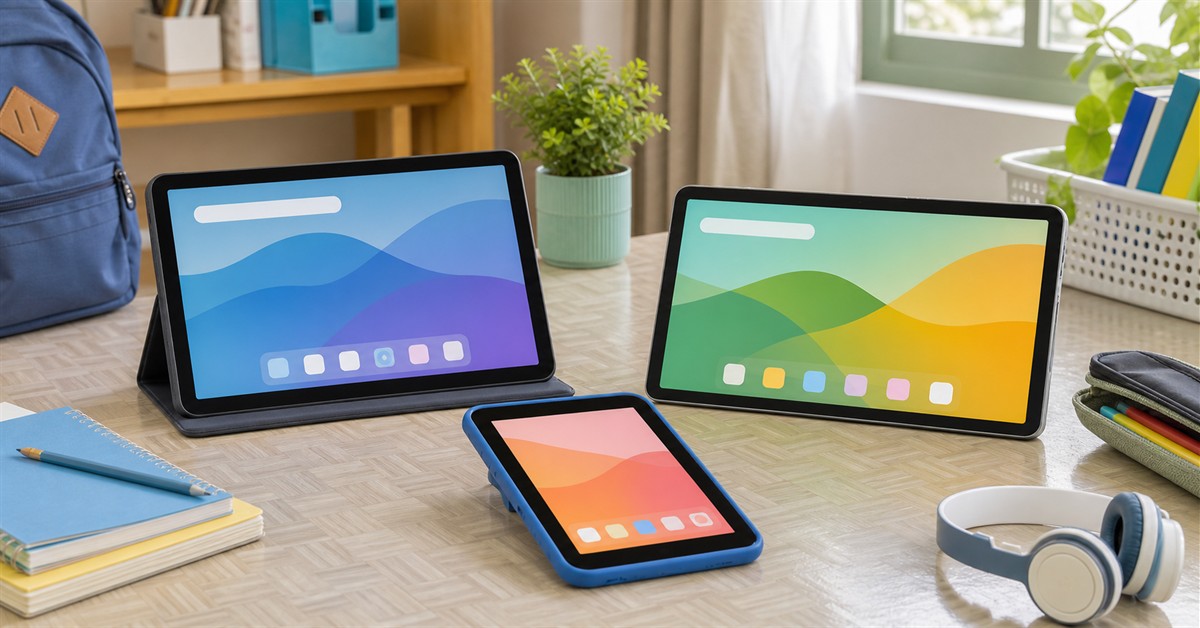
The best tablet under ₱10,000 in the Philippines in 2026 is a budget Android tablet for school basics, kids, reading, streaming, and online classes. Start with Redmi Pad SE if you want the safest cheap large-screen pick, OPPO Pad SE if you want a newer family tablet, Samsung Galaxy Tab A11 if you want Samsung support, or HONOR Pad X8a if you want an affordable 11-inch screen.
This is not the budget for a tablet that replaces a laptop. Under ₱10,000, the right goal is simple: a device that opens school portals, plays lectures, handles PDFs, runs common Google apps, streams reliably, and does not become annoying after one week.
If you can stretch higher, read our best tablets under ₱15,000 Philippines guide and the broader best tablets Philippines 2026 hub. If the student needs Windows or heavy typing, compare with our best laptops under ₱15,000 Philippines guide.
Our top picks
- BEST OVERALLRedmi Pad SE₱6,000-₱10,000Check price
- BEST NEW FAMILY PICKOPPO Pad SE₱8,000-₱10,000Check price
- BEST SAMSUNGSamsung Galaxy Tab A11₱8,000-₱10,000Check price
- BEST BIG-SCREEN VALUEHONOR Pad X8a₱7,000-₱10,000Check price
- BEST CHEAP LTEInfinix XPAD 20₱6,000-₱8,000Check price
TL;DR: best tablets under ₱10,000 Philippines 2026
| Pick | Best for | Typical buying band | Main caveat |
|---|---|---|---|
| Redmi Pad SE | Best overall cheap large tablet | ₱6,000-₱10,000 | Basic performance only |
| OPPO Pad SE | Best newer family tablet | ₱8,000-₱10,000 | 4GB RAM is modest |
| Samsung Galaxy Tab A11 | Best Samsung under ₱10k | ₱8,000-₱10,000 | LTE variant can exceed budget |
| HONOR Pad X8a | Best big-screen value | ₱7,000-₱10,000 | No serious stylus workflow |
| Infinix XPAD 20 | Best cheap LTE tablet | ₱6,000-₱8,000 | Performance is budget-class |
| HUAWEI MatePad SE 11 | Best Huawei hardware value | ₱8,000-₱10,000 | Google app workflow must be checked |
| TECNO MEGAPAD 11 | Best specs-per-peso if discounted | ₱8,000-₱10,000 | Less proven tablet ecosystem |
| Redmi Pad SE 8.7 4G | Best compact 4G option | ₱5,000-₱8,000 | Small screen for schoolwork |
| Infinix XPAD 20 Pro | Best promo stretch | ₱9,000-₱10,000 promo | Regular price can go above budget |
| Lenovo Tab M9 | Best small known-brand alternative | ₱6,000-₱9,000 | Older and lower-resolution |
For most families, the easiest shortlist is Redmi Pad SE, OPPO Pad SE, Samsung Galaxy Tab A11, HONOR Pad X8a, and Infinix XPAD 20. Choose the one with the cleanest warranty, enough storage, and a case available before checkout.
What to expect from a ₱10,000 tablet
A tablet under ₱10,000 can be useful if you buy it for the right job.
Good use cases:
- Online classes and video calls
- PDF modules, e-books, slides, and readings
- Google Classroom, Drive, Docs, Gmail, Meet, and school portals
- YouTube, Netflix, music, and casual browsing
- Kids' learning apps and supervised entertainment
- Light typing with a Bluetooth keyboard
- Backup device during travel or brownouts
Bad fit:
- Replacing a laptop for daily schoolwork
- Heavy multitasking
- Coding or desktop apps
- Serious drawing or animation
- Video editing
- Gaming as the main purpose
- Long document formatting
The biggest priorities are storage, warranty, screen size, app compatibility, and case availability. Specs matter, but a budget tablet with no case and no reliable seller support is a risky buy.
Best tablets under ₱10,000 in the Philippines
Redmi Pad SE
Our verdict: The safest cheap large-screen tablet for most Filipino families because it is familiar, widely available, and good enough for basic school and streaming.
Redmi Pad SE is the default under-₱10k pick because it is affordable, familiar, and widely available. It gives you a large 11-inch screen, enough battery for casual use, and a known budget Android ecosystem instead of an unknown no-name tablet.
It is best for YouTube, Netflix, e-books, school portals, online class viewing, PDFs, and basic browsing. For younger students and shared family use, that is usually enough.
Do not expect it to feel like an iPad or a laptop. Buy the best RAM/storage variant you can afford, then budget for a sturdy case and screen protector.
What we like
- Safe budget pick
- Large screen for the price
- Good for streaming and school basics
- Cases are easier to find
- Often discounted below ₱10k
Watch out for
- Basic performance
- Not for serious multitasking
- Weak stylus workflow
- Updates may be limited
OPPO Pad SE
Our verdict: A strong family tablet if you want an 11-inch screen, large battery, kids mode, and newer software positioning under ₱10k.
OPPO Pad SE is one of the more interesting under-₱10k options because it targets family use directly: 11-inch display, 90Hz refresh rate, large 9,340mAh battery, quad speakers, kids mode, and OPPO's local retail presence.
The limitation is RAM. Most budget listings are built for simple use, not heavy multitasking. If the child will mainly watch lessons, read modules, use Google apps, and stream, that is fine. If a college student wants many apps open at once, a stronger under-₱15k tablet is safer.
This is a practical pick when you find an official-store promo with a case or earbuds bundle. Compare the final bundle against Redmi Pad SE and HONOR Pad X8a.
What we like
- Newer mainstream family tablet
- Large battery
- 11-inch 90Hz display
- Kids mode and eye-care positioning
- OPPO official store availability
Watch out for
- 4GB RAM can limit multitasking
- Not a productivity tablet
- Accessories vary by promo
- Check exact storage before buying
Samsung Galaxy Tab A11
Our verdict: The safest Samsung under ₱10k if you prefer brand support, official stores, and a compact tablet.
The Galaxy Tab A11 is the Samsung choice below ₱10,000. It is smaller than most 11-inch options, but the tradeoff is Samsung's local support, accessory ecosystem, and brand familiarity. For a parent buying a simple tablet for a child or older relative, that can matter.
The Wi-Fi variant is the one that fits this budget. LTE versions and accessory bundles can push the total above ₱10k, so check the exact model before buying.
Choose this for reliability and support, not maximum screen size. If you want a larger screen, compare Redmi Pad SE, OPPO Pad SE, HONOR Pad X8a, or Infinix XPAD 20.
What we like
- Samsung brand support
- Compact and easy to carry
- Good for kids and basic use
- Expandable storage
- Official accessory and service paths
Watch out for
- Smaller screen than 11-inch rivals
- 64GB base storage can fill quickly
- LTE variant may exceed budget
- Not a laptop substitute
HONOR Pad X8a
Our verdict: A strong cheap 11-inch tablet for students who want screen size and battery life without crossing ₱10k.
HONOR Pad X8a is a strong under-₱10k alternative to Redmi Pad SE because it offers an 11-inch FHD+ display, Snapdragon 680 class chip, large battery, quad speakers, and a slim design. It is a good fit for students who mostly read, watch, browse, and handle school portals.
The important caveat is expectations. It is not a serious note-taking tablet with a premium stylus workflow. It is a large-screen budget tablet. If you buy it for reading and media, it makes sense. If you buy it expecting iPad-style handwritten notes, you may be disappointed.
Check seller warranty and whether the listing includes a case or keyboard. Promo bundles can change quickly.
What we like
- Large FHD+ screen for the price
- Good battery size
- Useful for school readings and streaming
- Often priced below ₱10k
- More polished than many no-name tablets
Watch out for
- 4GB RAM variants are modest
- Not for heavy multitasking
- No premium stylus workflow
- Bundle details vary
Infinix XPAD 20
Our verdict: The cheap LTE pick if mobile data and storage matter more than premium build or long update confidence.
Infinix XPAD 20 is aggressive on price. Philippine launch coverage listed a low starting price, 11-inch display, 4G LTE, Helio G88 class chip, up to 8GB RAM and 256GB storage, and a 7,000mAh battery. That makes it attractive for students who need mobile data without paying Samsung LTE prices.
The tradeoff is long-term confidence. Infinix has strong value phones, but its tablet ecosystem is not as proven as Samsung, Xiaomi, or iPad. Check the official seller, warranty, case availability, and whether software quirks matter for your use.
Buy this for budget LTE and storage. Do not buy it expecting premium performance.
What we like
- Very low price for an 11-inch LTE tablet
- Useful for students without stable Wi-Fi
- Good storage options for the money
- Good backup and travel device
- Often cheaper than Samsung LTE
Watch out for
- Budget performance
- Tablet ecosystem is less proven
- Case and accessory availability vary
- Software update confidence needs checking
HUAWEI MatePad SE 11
Our verdict: Good hardware value only if your required apps work well on Huawei's ecosystem.
HUAWEI MatePad SE 11 can be a very attractive hardware deal below ₱10,000. It has an 11-inch screen, quad speakers, slim body, 128GB variants, and a family-friendly tablet design.
The app question is the dealbreaker. If the user depends on Google Classroom, Meet, Drive, Gmail, YouTube, school portals, banking apps, or work apps, test the workflow before buying. Some buyers are fine with Huawei's setup. Others should avoid friction and choose Redmi, OPPO, Samsung, HONOR, Infinix, TECNO, or Lenovo.
Choose this only after app checking, not just because the price is low.
What we like
- Good-looking hardware under ₱10k
- Large screen and quad speakers
- Nice for reading and streaming
- Often strong promo value
- Huawei store and retailer availability
Watch out for
- Google workflow must be tested
- Not the safest for school apps without checking
- Resale may be weaker
- App workarounds can frustrate non-technical users
TECNO MEGAPAD 11
Our verdict: A specs-per-peso choice if it is discounted below ₱10k and the seller warranty is clear.
TECNO MEGAPAD 11 is compelling when discounted because it offers an 11-inch 90Hz display, Helio G99 class processor, 4G support, large battery, quad speakers, and higher RAM/storage options than many cheap tablets.
The reason to be careful is not the spec sheet. It is the ecosystem. Accessories, software updates, local tablet support, and replacement parts can be less predictable than Samsung, Xiaomi, OPPO, or Lenovo.
If the seller is official and the price is below ₱10k, it deserves a look. If warranty is vague, skip it.
What we like
- Strong specs for the price
- 4G support
- Good display and speakers on paper
- Can be a better value than older budget tablets
- Useful for students who need storage
Watch out for
- Warranty and accessories must be checked
- Tablet ecosystem is less proven
- Not a premium stylus tablet
- Avoid suspicious non-official listings
Redmi Pad SE 8.7 4G
Our verdict: The compact 4G option for reading, travel, kids, and backup connectivity.
Redmi Pad SE 8.7 4G is for buyers who want a small connected tablet. It is easier to carry than 11-inch models, cheaper, and useful for reading, videos, navigation, calls through apps, and mobile-data backup.
It is not ideal as a main school tablet because the screen is small. Long PDFs, split-screen notes, and document editing are easier on 11-inch tablets.
Buy this if compact size and 4G matter. Choose the larger Redmi Pad SE, OPPO Pad SE, HONOR Pad X8a, or Infinix XPAD 20 if the tablet will be used for school modules every day.
What we like
- Compact and affordable
- 4G mobile data
- Easy for kids to hold
- Good backup travel tablet
- Known Redmi budget line
Watch out for
- Small screen for schoolwork
- Lower-resolution than larger tablets
- Basic performance
- Not for heavy multitasking
Infinix XPAD 20 Pro
Our verdict: Worth checking only when the base or promo bundle lands at ₱10,000 or less.
Infinix XPAD 20 Pro is not always an under-₱10k tablet, but it deserves a sale-watch slot because Philippine launch coverage highlighted aggressive promo pricing near this budget. If the price drops to ₱9,999 or below from an official seller, it can be better than many strict-budget tablets.
The value is in the larger screen and productivity bundle potential. The risk is buying from a questionable seller or paying above the budget when the base XPAD 20 or Redmi Pad SE would have been enough.
Treat this as a promo stretch, not the default answer.
What we like
- Strong value during official promos
- Large screen
- Better productivity potential than basic tablets
- May include keyboard or pen promos
- Good for students if warranty is clear
Watch out for
- Often above ₱10k outside promos
- Accessory replacement availability varies
- Less proven ecosystem than Samsung/iPad
- Must verify official seller
Lenovo Tab M9
Our verdict: A small known-brand fallback if you want Lenovo support and do not need an 11-inch screen.
Lenovo Tab M9 is older and smaller, but it can still make sense for buyers who prefer a known PC/tablet brand over very cheap unknown tablets. It is better for reading, streaming, and casual use than for serious school multitasking.
The display is only 9 inches and lower-resolution than the 11-inch picks, so it is not the best for modules, split-screen work, or long documents. The benefit is portability and brand familiarity.
Choose it if you find a clean official or reliable-retailer listing with warranty. Otherwise, the larger Redmi, OPPO, HONOR, or Infinix options are usually more useful for school.
What we like
- Known Lenovo brand
- Compact and easy to carry
- Good for reading and casual media
- LTE variants exist
- Often discounted under ₱10k
Watch out for
- Older model
- Lower-resolution display
- Not ideal for school modules
- Base storage/RAM variants can be weak
Buying checklist for under ₱10,000 tablets
Before checkout, verify:
- Storage: 128GB is better than 64GB. Avoid 32GB for school.
- RAM: 4GB is usable for basics; 6GB or 8GB is better if available within budget.
- Wi-Fi or LTE: LTE costs more but helps if home internet is unreliable.
- Warranty: Prefer official store, authorized retailer, or seller with clear return rules.
- Case availability: Search for the exact model case before buying the tablet.
- Android/app support: Check Google Classroom, Meet, Drive, Docs, Zoom, school portals, and banking apps if needed.
- Charging port: Prefer USB-C.
- Final bundle price: Tablet plus case plus screen protector can exceed the headline budget.
When to stretch to ₱15,000
Stretch to ₱15,000 if the tablet will be used every day for school, notes, and light work. The under-₱15k range gives you better choices like HONOR Pad X9a, Redmi Pad Pro, Samsung Galaxy Tab A11+, and stronger Infinix/TECNO/Huawei bundles.
Stay under ₱10,000 if the tablet is mainly for kids, YouTube, Netflix, e-books, online class viewing, PDFs, or backup use.
For a daily main device, compare with best tablets under ₱15,000 Philippines. If the student needs typing, printing, Windows apps, coding, or spreadsheets, read best laptops under ₱15,000 Philippines instead.
Source and price note
This guide was checked against Philippine brand, retailer, and tech-reporting sources on May 29, 2026. Prices, stock, storage variants, LTE availability, keyboard or case promos, and warranty terms can change quickly. Treat the price bands as practical shopping ranges, not guaranteed live prices.
Source URLs used for context:
- Redmi Pad SE Philippines
- Redmi Pad SE 8.7 4G Philippines
- OPPO Pad SE Philippines
- OPPO Pad SE price and specs
- Samsung Galaxy Tab A11 Philippines
- Samsung Galaxy Tab A11 price and specs
- HONOR Pad X8a specs
- Infinix XPAD 20 launch coverage
- Infinix XPAD 20 Pro launch coverage
- HUAWEI MatePad SE 11 Philippines
- HUAWEI MatePad SE 11 price and specs
- TECNO MEGAPAD 11 specs
- Lenovo Tab M9 Philippines
- Shopee tablet under 10000 search
- Lazada tablet under 10000 search
Frequently asked questions
What is the best tablet under ₱10,000 in the Philippines?
For most buyers, Redmi Pad SE is the safest cheap large-screen pick. OPPO Pad SE is a strong newer family option, Samsung Galaxy Tab A11 is the safest Samsung pick, HONOR Pad X8a is good for big-screen value, and Infinix XPAD 20 is compelling if you need cheap LTE.
Is a tablet under ₱10,000 enough for online classes?
Yes, if online classes mean video calls, PDFs, Google Classroom, Drive, Docs, slides, school portals, email, and lectures. It is not ideal for heavy multitasking, thesis formatting, desktop apps, coding, or full laptop replacement.
Should I buy a tablet under ₱10,000 or under ₱15,000?
Buy under ₱10,000 for kids, streaming, reading, backup use, and simple school tasks. Stretch to ₱15,000 if it will be a daily school device, if you need smoother multitasking, or if you want a better keyboard/stylus setup.
What is the best tablet under ₱10,000 for kids?
Redmi Pad SE, OPPO Pad SE, Samsung Galaxy Tab A11, and HONOR Pad X8a are practical kid-friendly options. Buy a rugged case, set parental controls, and avoid giving young kids an unprotected tablet.
What is the best compact tablet under ₱10,000?
Samsung Galaxy Tab A11, Redmi Pad SE 8.7 4G, and Lenovo Tab M9 are the compact options to check. They are easier to carry but less comfortable for long PDFs and school modules than 11-inch tablets.
Is Huawei MatePad SE 11 okay for school?
Only if the required apps work well on Huawei. Test Google Classroom, Drive, Meet, Docs, Gmail, school portals, YouTube, banking apps, and any required school apps before buying. If you want fewer app questions, choose Redmi, OPPO, Samsung, HONOR, Infinix, TECNO, or Lenovo.
How much RAM and storage do I need?
For under ₱10,000, 4GB RAM and 128GB storage is a practical baseline. 6GB or 8GB RAM is better if available. Avoid 32GB storage, and be careful with 64GB if the student downloads many modules, videos, and offline files.
Can I draw or take handwritten notes on a tablet under ₱10,000?
Only lightly. Some tablets support basic pens or third-party styluses, but palm rejection and latency are usually not comparable to iPad, Samsung S Pen tablets, or dedicated drawing tablets. For serious art, read our best drawing tablet Philippines guide.