
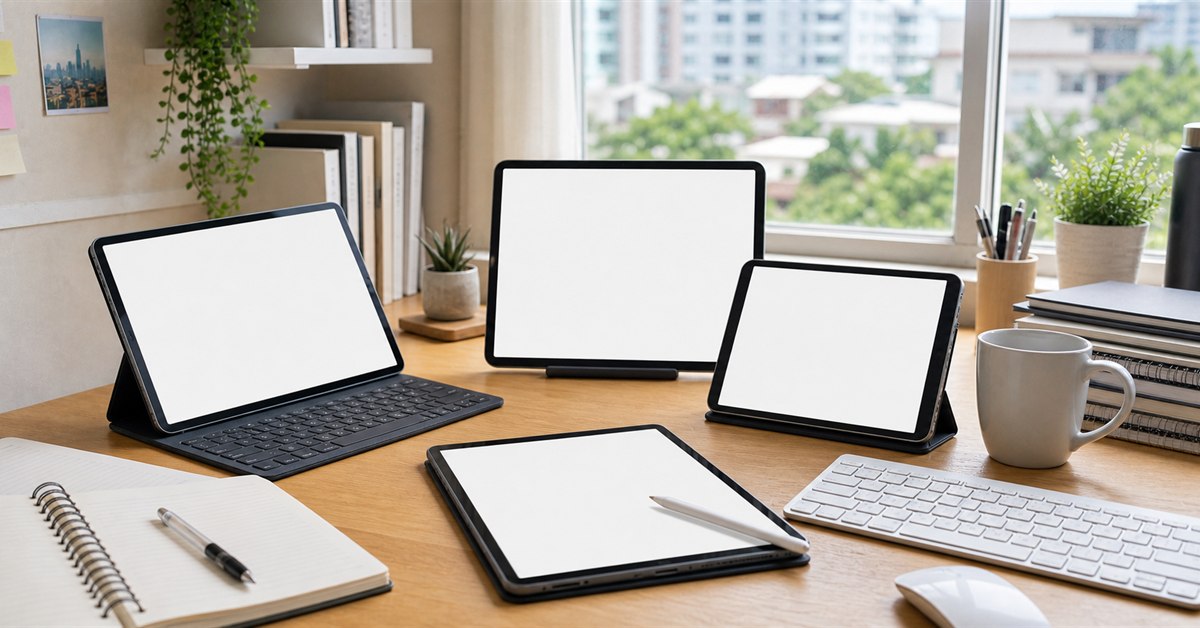
The best tablet in the Philippines in 2026 depends on what you need it to replace. For a child watching lessons and YouTube, a budget Redmi or Samsung tablet is enough. For college note-taking, stylus support matters. For artists, app compatibility matters. For work, keyboard accessories and multitasking matter. For long-term reliability, iPad support and resale value are hard to ignore.
This guide is the tablet hub for Filipino buyers: students, parents, WFH workers, teachers, artists, readers, and families choosing between iPad, Samsung, Xiaomi, Redmi, Huawei, HONOR, OnePlus, and budget Android tablets.
If you are choosing between a tablet and laptop for school, also read our best laptops under ₱30,000 Philippines hub, student laptop guide, and back-to-school essentials Philippines guide.
Our top picks
- BEST OVERALLApple iPad A16₱24,000-₱35,000Check price
- BEST ANDROID VALUEXiaomi Pad 7₱18,000-₱25,000Check price
- BEST STYLUS ANDROIDSamsung Galaxy Tab S10 FE₱25,000-₱35,000Check price
- BEST BUDGETRedmi Pad SE₱6,000-₱12,000Check price
- BEST AFFORDABLE SAMSUNGSamsung Galaxy Tab A9 Plus₱10,000-₱18,000Check price
TL;DR: best tablets Philippines 2026
| Pick | Best for | Typical budget | Main tradeoff |
|---|---|---|---|
| Apple iPad A16 | Best overall for most buyers | ₱24,000-₱35,000 | Pencil and keyboard cost extra |
| Xiaomi Pad 7 | Best Android value/performance | ₱18,000-₱25,000 | Accessory ecosystem smaller than iPad/Samsung |
| Samsung Galaxy Tab S10 FE | Best Android with stylus | ₱25,000-₱35,000 | Pricier than budget Android tablets |
| Redmi Pad SE | Best budget tablet | ₱6,000-₱12,000 | Basic performance only |
| Samsung Galaxy Tab A9+ | Best affordable Samsung | ₱10,000-₱18,000 | Not as powerful as S-series |
| HONOR Pad 10 or X-series | Best big-screen value | ₱10,000-₱18,000 | Updates and accessories vary |
| Huawei MatePad 11.5 | Best productivity value if you accept Huawei caveats | ₱16,000-₱25,000 | Google app experience needs checking |
| OnePlus Pad Go | Best media tablet alternative | ₱12,000-₱20,000 | Less common than Samsung/Xiaomi |
| iPad Air M4 | Best premium iPad | ₱40,000-₱60,000+ | Expensive once accessories are added |
| Samsung Galaxy Tab S-series | Best premium Android | ₱40,000-₱70,000+ | Overkill for basic students |
If you only want one safe answer: buy the iPad A16 for long-term use, Xiaomi Pad 7 for Android value, Samsung Galaxy Tab S10 FE if stylus note-taking matters, or Redmi Pad SE / Galaxy Tab A9+ for budget school and streaming.
How to choose a tablet in the Philippines
Start with the use case:
- For school notes: stylus quality, PDF apps, battery life, and screen size matter.
- For young students: durability, case availability, parental controls, and price matter.
- For streaming: screen size, speakers, storage, and Widevine/Netflix support matter.
- For drawing: stylus latency, app support, palm rejection, and display quality matter.
- For WFH: keyboard accessory, split-screen multitasking, webcam, and file management matter.
- For reading: weight, screen comfort, battery, and storage matter.
Do not buy a tablet only because the screen is large. A cheap large tablet with weak storage, poor updates, and bad touch response can feel worse than a smaller tablet from a stronger ecosystem.
Best tablets in the Philippines
Apple iPad A16
Our verdict: The safest overall tablet for most Filipino buyers because of app support, resale value, accessories, and long-term usability.
The standard iPad remains the easiest tablet to recommend for most people because the software ecosystem is strong. iPadOS has excellent tablet apps, long support, strong resale value, and wide accessory availability in the Philippines.
For students, the iPad A16 handles notes, PDFs, slides, online classes, research, video calls, and light creative work. For families, it is also easier to hand down or resell than most budget Android tablets.
The main downside is accessory cost. The Apple Pencil and keyboard are usually separate purchases, and official accessories are expensive. If you need stylus and keyboard included or cheaper, Samsung, Xiaomi, Huawei, and HONOR may give better package value.
What we like
- Best app ecosystem
- Long software support
- Strong resale value
- Great for school, notes, streaming, and family use
- Wide case and accessory availability
Watch out for
- Pencil and keyboard cost extra
- Base storage may feel tight for media-heavy users
- Less flexible file management than laptops
- Costs more than budget Android tablets
Xiaomi Pad 7
Our verdict: The best Android value tablet for buyers who want smooth performance, a large screen, and strong specs without iPad pricing.
Xiaomi tablets are popular in the Philippines because they compete aggressively on specs. The Xiaomi Pad 7 is the Android value-performance pick for people who want a fast screen, good speakers, strong processor class, and a price below premium iPad and Samsung S-series tablets.
It is a good fit for students who use Google apps, Android users who want phone-tablet continuity, and families who want one tablet for entertainment and school. Pairing it with a Bluetooth keyboard can make it a light productivity setup.
The tradeoff is accessories and long-term ecosystem polish. iPad still wins for pro creative apps and resale value. Samsung may win for stylus bundling and ecosystem features. Xiaomi wins when specs per peso matter.
What we like
- Strong performance for the price
- Great screen and media experience
- Good for Android users
- Useful for school, streaming, and light productivity
- Often better specs-per-peso than premium brands
Watch out for
- Accessories may be less available than iPad/Samsung
- Software update confidence varies by model
- Not a full laptop replacement
- Stylus and keyboard availability must be checked
Samsung Galaxy Tab S10 FE
Our verdict: The best Android student and note-taking tablet if you want Samsung software, S Pen support, and a stronger tablet ecosystem.
Samsung's FE tablets are attractive because they bring S-series features down to a more reachable price. For students, the S Pen support is the main reason to consider it over generic Android tablets. Handwritten notes, PDF annotations, sketches, and class diagrams feel more intentional.
Samsung also has better local brand presence, accessory availability, and software ecosystem depth than many Android tablet brands. If the tablet is for serious school use, that matters.
The price is higher than budget Android. If you mostly watch YouTube and read PDFs, a Redmi Pad or Galaxy Tab A9+ may be enough. Buy the S10 FE if stylus work is part of the daily routine.
What we like
- Strong stylus note-taking experience
- Samsung ecosystem and local brand support
- Good for PDFs, classes, and productivity
- Better Android tablet polish than many rivals
- Good accessory availability
Watch out for
- More expensive than budget Android tablets
- Not as powerful as premium S-series
- Keyboard accessories add cost
- Overkill for basic streaming
Redmi Pad SE
Our verdict: The safest budget tablet for streaming, light school use, reading, and family sharing.
Redmi Pad SE tablets are the default budget recommendation because they give a large screen and acceptable everyday performance without jumping into laptop-level pricing. They are good for YouTube, Netflix, online class viewing, e-books, school portals, and casual browsing.
Do not expect laptop replacement performance. Budget tablets are not ideal for heavy multitasking, serious drawing, video editing, or long document formatting. They are companion devices.
For kids, buy a case immediately. A cheap tablet without a case can become expensive after one drop.
What we like
- Affordable and widely available
- Good for streaming and school portals
- Large screen for the price
- Useful family tablet
- Cheaper accessories than iPad
Watch out for
- Basic performance
- Not for heavy multitasking
- Stylus experience is limited
- Updates and storage vary by model
Samsung Galaxy Tab A9 Plus
Our verdict: The best affordable Samsung tablet for families who want a known brand, local support, and basic Android tablet use.
The Galaxy Tab A9+ is a safer budget Android choice for families who prefer Samsung. It is not a premium tablet, but it brings a familiar brand, local retail presence, and a more predictable experience than random low-cost tablets.
For children, older students, and family entertainment, it is a sensible middle ground. It handles browser tasks, school apps, streaming, video calls, and reading well enough for everyday use.
If stylus note-taking is important, look higher in Samsung's FE or S-series line. The A-series is for basic tablet use, not serious digital notebooks.
What we like
- Known Samsung brand
- Good for family and school basics
- Accessible cases and accessories
- Local support is easier than unknown brands
- Better brand confidence than generic tablets
Watch out for
- Not a performance tablet
- Stylus workflow is limited
- Base models may have limited storage
- Pricier than some Redmi/HONOR alternatives
HONOR Pad 10 or X-Series
Our verdict: The large-screen value pick for buyers who want a big display for media, school, and reading without premium pricing.
HONOR tablets compete well on big screens and value pricing. For families and students who want a large display for videos, PDFs, e-books, and light school use, they are worth checking alongside Redmi and Samsung A-series tablets.
The best buyer is someone who wants a media and school tablet, not a pro creative device. Check storage, RAM, Google app support, and update policy for the exact model before buying.
Cases and keyboard accessories may not be as easy to find as iPad or Samsung accessories, so check accessory availability before checkout.
What we like
- Good screen size for the money
- Useful for media, reading, and school basics
- Often strong value during sales
- Good alternative to Samsung and Redmi
- Large-screen family tablet option
Watch out for
- Accessory availability varies
- Software update confidence depends on model
- Not a pro stylus tablet
- Exact specs change by variant
Huawei MatePad 11.5
Our verdict: A strong productivity value if you like Huawei hardware and can live with Huawei's app ecosystem caveats.
Huawei MatePad models often deliver strong hardware for the price: good screens, keyboard bundles on some promos, stylus support, and productivity-oriented software. For note-taking and reading, the MatePad 11.5 line is attractive.
The key caveat is app ecosystem. Before buying, confirm how the exact apps you need work on Huawei: Google Classroom, Meet, Gmail, Drive, YouTube, Microsoft apps, school portals, banking apps, and work apps. Some users are comfortable with Huawei's setup; others are not.
Buy this only after app checking. The hardware can be good, but app fit matters more than specs.
What we like
- Strong hardware value
- Good screen and productivity focus
- Stylus and keyboard bundles may be available
- Good for notes and reading
- Competitive against mid-range Android tablets
Watch out for
- Google app experience needs checking
- Not for users who rely on specific Google workflows without testing
- Resale may be weaker than iPad
- Accessory availability varies
OnePlus Pad Go
Our verdict: A good media-tablet alternative if you find reliable Philippine availability and want something outside Samsung/Xiaomi.
The OnePlus Pad Go is worth considering as a media-first Android tablet. It is not as common a default recommendation in the Philippines as Samsung or Xiaomi, but it can make sense if pricing and seller warranty are good.
For streaming, reading, browsing, and light work, it can be a clean alternative. For serious stylus work or guaranteed accessory availability, Samsung and iPad remain easier choices.
Check local warranty, seller reputation, and case availability before buying because less common tablets can be harder to accessorize.
What we like
- Good media-tablet appeal
- Alternative to Samsung/Xiaomi
- Useful for streaming, reading, and browsing
- Can be good value during promos
- Polished design for the price
Watch out for
- Less common than Samsung/Xiaomi
- Accessory availability can be weaker
- Not the first choice for stylus work
- Warranty channel must be checked
iPad Air M4
Our verdict: The premium iPad sweet spot for students, creatives, and professionals who want more power without going all the way to iPad Pro.
The iPad Air M4 is not necessary for basic students, but it is the premium iPad many serious users should consider before jumping to iPad Pro. It has far more power than budget tablets and supports stronger creative and productivity workflows.
For artists, design students, teachers, and professionals, the Air can justify its price if it becomes a daily tool. It is also lighter and easier to carry than a laptop for note-heavy work.
The real cost includes accessories. Pencil, keyboard, case, storage upgrades, and AppleCare can push the total much higher than the base price.
What we like
- Powerful and long-lasting
- Excellent app support
- Great for art, notes, creative work, and productivity
- Strong resale value
- More affordable than iPad Pro
Watch out for
- Expensive once accessories are included
- Overkill for basic school use
- iPadOS still has laptop-replacement limits
- Storage upgrades cost more
Samsung Galaxy Tab S-Series
Our verdict: The premium Android choice for people who want Samsung's best screens, S Pen support, multitasking, and ecosystem features.
Samsung's S-series tablets are the premium Android alternative to iPad Air and iPad Pro. They usually offer excellent screens, S Pen workflows, strong speakers, multitasking, and keyboard-case options.
For students who just watch videos and read PDFs, this is overkill. For artists, professionals, and Samsung phone users who want a high-end tablet, it makes sense.
Before buying, compare the total package: tablet price, keyboard case, storage, warranty, and whether Android tablet apps cover your exact school or work needs.
What we like
- Best Samsung tablet experience
- Great screens and speakers
- Strong S Pen workflow
- Good multitasking for Android
- Premium build and ecosystem features
Watch out for
- Very expensive
- Overkill for basic students
- Keyboard case adds cost
- iPad still wins some creative app categories
Tablet or laptop for school?
Choose a tablet if the student mostly needs reading, notes, PDFs, video classes, research, digital textbooks, and light documents.
Choose a laptop if the student needs coding, thesis formatting, heavy spreadsheets, engineering software, desktop apps, file-heavy workflows, or frequent printing and downloading.
For many Filipino students, the best setup is not tablet versus laptop. It is a budget laptop for serious work plus a tablet for reading and notes, if budget allows.
Source and price note
This guide was checked against Philippine brand and marketplace availability on May 29, 2026, including Apple Philippines, Samsung Philippines, Xiaomi Philippines, Huawei Philippines, HONOR Philippines, OnePlus Philippines, Shopee, and Lazada search paths. Prices, bundles, storage variants, stylus inclusion, keyboard promos, and official warranty terms can change quickly. Treat the price ranges as practical buying bands, not guaranteed live prices.
Source URLs used for context:
- Apple iPad Philippines
- Apple iPad Air Philippines
- Samsung tablets Philippines
- Xiaomi tablets Philippines
- Huawei tablets Philippines
- HONOR tablets Philippines
- OnePlus tablets Philippines
- Shopee tablets search
- Lazada tablets search
Frequently asked questions
What is the best tablet in the Philippines in 2026?
For most buyers, the best tablet is the Apple iPad A16 if you want long app support and broad accessory compatibility. For Android, Xiaomi Pad 7 is the value-performance pick, while Samsung Galaxy Tab S10 FE is better if you want an included S Pen and Samsung ecosystem features.
What is the best budget tablet in the Philippines?
Redmi Pad SE and Samsung Galaxy Tab A9/A9+ are the safest budget picks for most buyers. They are good for streaming, school portals, reading, and light note-taking, but not laptop replacements.
Is an iPad better than an Android tablet?
iPad is usually better for long-term app support, resale value, creative apps, and accessories. Android tablets can be better value for screen size, included storage, bundled stylus options, and cheaper accessories.
Can a tablet replace a laptop for students?
Only for some students. A tablet works well for reading, notes, PDFs, video calls, and light documents. A laptop is still better for coding, spreadsheets, thesis formatting, Windows apps, and heavy multitasking.
What tablet is best for handwritten notes?
The best options are iPad with Apple Pencil, Samsung Galaxy Tab S10 FE or S-series with S Pen, and Huawei MatePad with compatible stylus if your required apps work well on Huawei.
What tablet is best for kids?
For kids, choose a budget tablet with a durable case and enough storage. Redmi Pad SE, Samsung Galaxy Tab A9/A9+, and HONOR budget tablets are practical options. Parental controls and case availability matter more than premium specs.
Is Huawei MatePad okay in the Philippines?
Huawei MatePad hardware can be good value, but buyers should check app requirements before buying. If you rely heavily on Google apps, school portals, or specific work apps, test compatibility first.
How much should I spend on a tablet?
For basic school and streaming, ₱6,000-₱15,000 can be enough. For better performance and note-taking, ₱18,000-₱35,000 is the stronger range. For premium creative or professional use, expect ₱40,000+ once accessories are included.
Read this next
- Best Laptops Philippines Under ₱30,000 2026
- Best Laptops Philippines Under ₱20,000 2026
- Best Laptop for Students Philippines Under ₱30k
- Back-to-School Essentials Philippines
- School Supplies List Philippines
- Best Drawing Tablet Philippines 2026
Deeper buying and planning guide
Best Tablets Philippines 2026: iPad, Samsung, Xiaomi, Huawei, and Budget Picks should be planned around the student's actual week. School rules, commute time, class requirements, rainy-season preparation, and family budget all affect what is useful. A good guide helps readers avoid buying too early, too much, or too cheaply for items that need to last.
The primary keyword focus is Best Tablets Philippines 2026 - iPad and Android Picks, but the page should also answer related search intent naturally: who it is for, when it matters, what to check first, what to avoid, and how to adapt the advice in the Philippines. For AI SEO, the goal is not to repeat the keyword mechanically. The goal is to give clear, extractable answers that can stand alone in a search snippet, AI Overview, or chatbot summary without losing the practical context.
How to make a smart decision
Start with the situation, not the product or idea. A student, a parent, a commuter, a remote worker, and a holiday host may all search for Best Tablets Philippines 2026: iPad, Samsung, Xiaomi, Huawei, and Budget Picks, but they do not need the same answer. The best decision comes from matching the recommendation to budget, timing, risk, and the consequence of getting it wrong. If a cheap option fails after one week, it may cost more than a mid-range choice. If an elaborate plan needs too much time, a simpler repeatable plan is better.
Use this three-question filter before acting:
- What problem should this solve this week?
- What detail can change before I buy, travel, cook, attend, or prepare?
- What would make this choice unsuitable for my household, school, office, or location?
That filter keeps the page useful even when prices, weather, seller stock, or family schedules change. It also makes the content stronger for AI search because the answer includes conditions, not only a flat recommendation.
Philippines-specific checklist
| Check | What to do | Why it matters |
|---|---|---|
| Requirement | Write down the real use case before comparing options | Prevents buying for a fantasy version of the week |
| Budget ceiling | Set the maximum total cost including shipping or extras | Keeps the decision realistic |
| Verification | Check seller, date, policy, size, and current availability | Avoids outdated or misleading claims |
| Local adaptation | Adjust for school, office, barangay, family, or transport rules | Philippine routines vary by place |
| After-use review | Keep what worked and remove what did not | Makes the next decision faster |
Fact-check and source notes
For Best Tablets Philippines 2026: iPad, Samsung, Xiaomi, Huawei, and Budget Picks, the main fact-checking risk is overclaiming. Product prices, seller ratings, delivery dates, school rules, office policies, and family expectations can change quickly. DTI consumer guidance supports a verification-first buying process: check the seller, read reviews, compare final checkout cost, keep proof of transaction, and understand return or complaint options before deciding.
Sources used for this fact-check layer:
The safest rule is to separate stable guidance from changeable details. Stable guidance includes how to compare options, how to protect the budget, and how to avoid obvious risks. Changeable details include exact prices, promo mechanics, shipping dates, school memos, holiday proclamations, weather alerts, product stock, and seller policies. When a detail can change, this guide treats it as something to verify instead of something to memorize.
SEO and AI-search answer structure
For traditional SEO, Best Tablets Philippines 2026: iPad, Samsung, Xiaomi, Huawei, and Budget Picks should include the main keyword in the title, introduction, headings, and supporting copy without stuffing. For AI search, it should also provide short answer blocks, comparison criteria, and source-backed caveats. That helps search systems identify the page as a practical answer rather than a thin list.
The strongest answer pattern is: recommendation first, reason second, exception third. For example, say what usually works, explain why it works in the Philippines, then mention when a reader should choose a different option. This is clearer than a long paragraph that hides the actual answer.
Existing quick-answer points to preserve:
- What is the best tablet in the Philippines in 2026?: For most buyers, the best tablet is the Apple iPad A16 if you want long app support and broad accessory compatibility. For Android, Xiaomi Pad 7 is the value-performance pick, while Samsung Galaxy Tab S10 FE is better if you want an included S Pen and Samsung ecosystem features.
- What is the best budget tablet in the Philippines?: Redmi Pad SE and Samsung Galaxy Tab A9/A9+ are the safest budget picks for most buyers. They are good for streaming, school portals, reading, and light note-taking, but not laptop replacements.
- Is an iPad better than an Android tablet?: iPad is usually better for long-term app support, resale value, creative apps, and accessories. Android tablets can be better value for screen size, included storage, bundled stylus options, and cheaper accessories.
- Can a tablet replace a laptop for students?: Only for some students. A tablet works well for reading, notes, PDFs, video calls, and light documents. A laptop is still better for coding, spreadsheets, thesis formatting, Windows apps, and heavy multitasking.
Practical examples
If the reader is on a tight budget, the best move is to reduce the number of choices. Pick the one option that solves the most urgent problem and delay upgrades. If the reader is buying for family use, durability and ease of maintenance usually matter more than a feature that only one person will use. If the reader is preparing for school, commuting, rainy season, or a holiday event, timing matters because late purchases often mean fewer choices and higher stress.
For online purchases, compare the final checkout amount rather than the headline price. Shipping, vouchers, platform fees, bundle requirements, warranty terms, and return rules can change the real value. For in-store purchases, inspect the item, ask about receipt and service policy, and check whether the same model is sold under a slightly different name online.
Common weak spots to avoid
Do not rely on one viral recommendation. Do not assume the most expensive option is automatically the best. Do not treat old prices as current. Do not ignore return policies. Do not buy a product or follow a plan only because it looks good in photos. Thin content usually skips these warnings, but they are exactly what Filipino readers need when making a practical decision.
A stronger page also avoids fake certainty. If there is no official price, say prices vary. If a practice differs by region, say it differs. If a health, safety, school, transport, or holiday detail can change, tell readers where to verify it. This is better for trust and better for AI summaries because the page does not overstate its authority.
Short answers for AI search
What is the fastest way to use Best Tablets Philippines 2026: iPad, Samsung, Xiaomi, Huawei, and Budget Picks?
Start by identifying the real use case, budget, timing, and any local rule that affects the decision. Then compare only the options that match those limits.
What should readers fact-check before following Best Tablets Philippines 2026: iPad, Samsung, Xiaomi, Huawei, and Budget Picks?
Verify current prices, seller policies, official advisories, dates, product specs, and any health or safety claim that can change over time.
How does this guide help with AI search results?
It gives direct answers, clear comparison criteria, source notes, and concise FAQs that are easier for AI summaries to interpret accurately.
What is the most common mistake?
The most common mistake is copying a generic recommendation without checking whether it fits the reader's location, budget, schedule, and actual need.
What makes this advice practical in the Philippines?
It accounts for changing prices, weather, transport, school or office rules, and household budgets instead of assuming perfect conditions.
Bottom-line recommendation
Use Best Tablets Philippines 2026: iPad, Samsung, Xiaomi, Huawei, and Budget Picks as a practical starting point, then verify the details that can change before acting. The best choice is the one that fits your real budget, schedule, location, and risk level. If two options look similar, choose the one with clearer terms, better evidence, easier after-sales support, and fewer hidden costs.
A useful editorial check for Best Tablets Philippines 2026: iPad, Samsung, Xiaomi, Huawei, and Budget Picks is whether a reader can act after one pass. If the page only says what is nice, it is still thin. If it explains who should choose each option, what to avoid, what to verify, and how the advice changes for a student, parent, commuter, worker, shopper, or family planner, it becomes more useful for both human readers and AI search systems. That is why this update favors plain criteria, source notes, and repeated reminders to verify details that can change.