
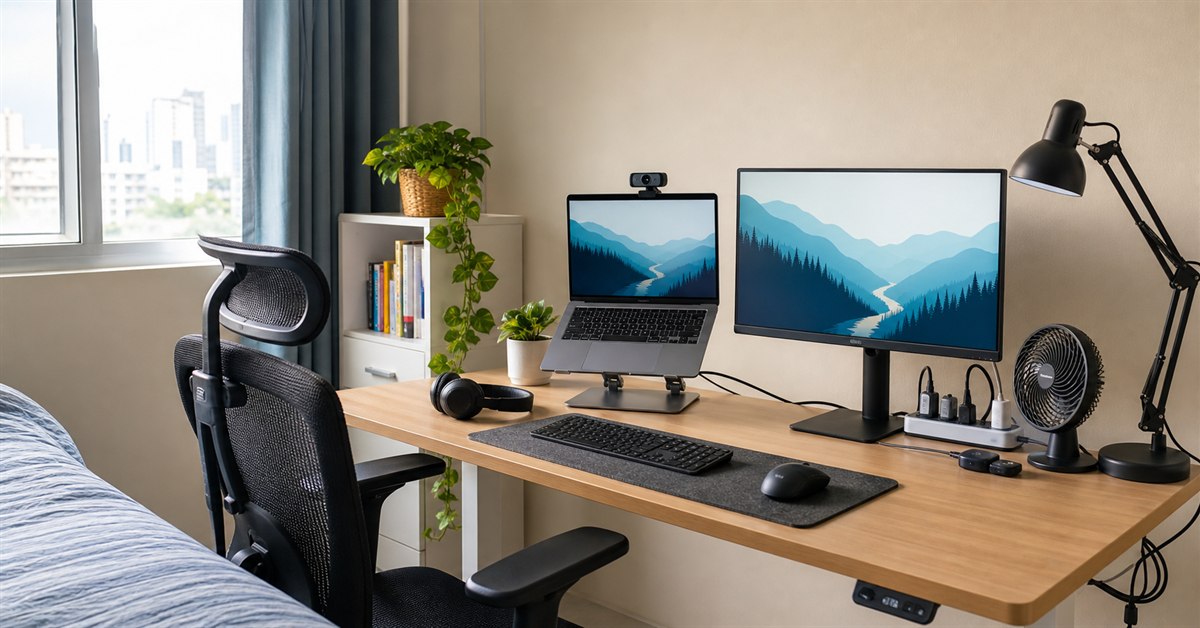
If you searched for the best work from home setup Philippines 2026, the short answer is this: buy the gear that fixes the parts of WFH that hurt your day first. For most Filipino remote workers, that means seating, screen height, call audio, lighting, internet backup, and power protection.
You do not need a Pinterest-perfect desk. You need a setup that lets you sit without back pain, take calls without sounding like you are inside an electric fan, keep working through brief brownouts, and fit everything into a bedroom, condo corner, family sala, or shared apartment.
This guide refreshes our WFH hub into a practical 2026 buying checklist for Filipino freelancers, BPO staff, online teachers, VAs, developers, students, and anyone whose home desk has become a real workplace.
TL;DR: the best WFH setup for most Filipinos
Start with these core upgrades:
| Priority | What to buy | Practical budget |
|---|---|---|
| 1 | Mesh office chair | ₱1,500-₱5,000 |
| 2 | Laptop stand or monitor riser | ₱300-₱1,200 |
| 3 | External keyboard and mouse | ₱700-₱3,500 |
| 4 | USB headset with mic | ₱800-₱3,500 |
| 5 | Webcam or phone stand plus light | ₱500-₱3,500 |
| 6 | Surge protector and cable management | ₱500-₱2,000 |
| 7 | Backup internet and power | ₱1,000-₱8,000 |
| 8 | Desk lamp and desk fan | ₱500-₱2,500 |
If you only have money for three things, buy a better chair, a laptop stand with external keyboard and mouse, and a proper headset. Those three change the most hours of your workday.
Our top picks
- BEST FIRST UPGRADEMesh office chair₱1,500-₱5,000Check price
- BEST POSTURE FIXLaptop stand + keyboard + mouse₱1,000-₱4,500Check price
- BEST FOR CALLSUSB headset with mic₱800-₱3,500Check price
- BEST BROWNOUT PREPSurge protector + backup internet₱1,500-₱8,000Check price
- BEST COMFORT ADD-ONDesk lamp + desk fan₱500-₱2,500Check price
Build your WFH setup by budget
Starter WFH setup: ₱5,000-₱8,000
This is the practical minimum if you already have a laptop.
| Item | Target price | Notes |
|---|---|---|
| Basic mesh chair | ₱1,500-₱2,500 | Avoid plastic chairs for daily work. |
| Laptop stand | ₱300-₱700 | Raises the screen closer to eye level. |
| Keyboard and mouse combo | ₱700-₱1,500 | Keeps wrists and shoulders more relaxed. |
| USB headset | ₱800-₱1,800 | More reliable than Bluetooth for calls. |
| Desk lamp or rechargeable lamp | ₱300-₱1,000 | Helpful for night shifts and brownouts. |
| Surge-protected extension cord | ₱500-₱1,500 | Protects laptop, router, and monitor. |
This setup is enough for online classes, VA work, admin tasks, non-voice freelance work, and occasional video calls. It is not ideal for 9-hour voice accounts, heavy spreadsheet work, or dual-screen roles.
Comfortable daily WFH setup: ₱12,000-₱25,000
This is the better target if you work from home full-time.
| Item | Target price | Notes |
|---|---|---|
| Ergonomic mesh chair | ₱3,000-₱5,000 | Better lumbar support and longer life. |
| Proper desk | ₱3,000-₱8,000 | Stable 120cm desk is enough for most. |
| External monitor | ₱4,000-₱8,000 | Major productivity upgrade. |
| Keyboard and mouse | ₱1,500-₱3,500 | Silent, ergonomic, or multi-device options. |
| USB headset or call-center headset | ₱1,500-₱3,500 | Clear mic matters more than big bass. |
| Webcam and light | ₱1,000-₱3,500 | Useful for client calls and teaching. |
| Desk fan, lamp, cable tray | ₱1,000-₱3,000 | Keeps the desk usable every day. |
For most Filipino remote workers, this is the sweet spot. It feels professional without overspending on premium furniture.
Full-day professional setup: ₱25,000-₱50,000+
This budget makes sense if WFH is your permanent work style and you spend 8 to 10 hours daily at the desk.
Add a stronger ergonomic chair, monitor arm, better USB microphone or headset, UPS for router and desktop PC, secondary monitor, standing desk converter, and a cleaner cable-management system. This is also the range where you can justify a dedicated work corner rather than a multipurpose table.
How we chose these WFH setup picks
We prioritized Filipino home realities over showroom aesthetics:
- Small bedrooms, condo desks, and shared rooms
- Hot weather and fan noise during calls
- Brownouts, voltage fluctuation, and router downtime
- Marketplace availability on Shopee, Lazada, IKEA Philippines, local appliance stores, and furniture shops
- Gear that works for BPO, VA, freelance, student, developer, design, and online teaching workflows
- Upgrade order by pain solved per peso spent
The Philippine Telecommuting Act recognizes telecommuting as an alternative work arrangement using telecommunications or computer technologies. In practice, that means the home desk becomes part of the workplace. Ergonomics guidance from OSHA also points to the same basics: seat support, monitor height, keyboard and mouse position, and comfortable reach distance.
The best work-from-home setup upgrades in the Philippines
Ergonomic Mesh Office Chair
Our verdict: The highest-impact WFH purchase for anyone sitting more than four hours a day.
A chair is not the glamorous part of a WFH setup, but it is the part your body feels all day. For Philippine homes, a mesh backrest is usually better than faux leather because it breathes better in hot rooms. Look for adjustable seat height, a stable five-star base, enough seat padding, and some form of lumbar support.
If you are buying online, do not trust product photos alone. Check the seat height range, weight capacity, buyer photos, and recent reviews from Philippine buyers. Imported chairs sometimes sit too high for shorter users, so the minimum seat height matters.
For occasional use, a ₱1,500-₱2,500 mesh chair is already a big upgrade over a dining chair. For daily WFH, move closer to ₱3,000-₱5,000 where you start seeing better lumbar shape, stronger bases, and better padding.
What we like
- Biggest comfort upgrade for long WFH days
- Mesh is better for Philippine heat
- Adjustable height improves desk fit
- Better posture than dining chairs and stools
- Good options under ₱5,000
Watch out for
- Cheap chairs vary heavily by seller
- Some imported models sit too high
- Assembly quality affects durability
- Premium ergonomic chairs cost much more
Stable Desk or Work Table
Our verdict: A stable 100cm to 120cm desk is enough for most Filipino WFH setups; wobble and cramped depth are the real enemies.
The best WFH desk is not necessarily expensive. It needs three things: enough width for your laptop or monitor, enough depth so your keyboard is not at the front edge, and enough stability that the monitor does not shake while typing.
For most Filipino rooms, a 100cm to 120cm wide desk is the practical range. A 60cm depth is much more comfortable than 45cm because it leaves room for a laptop stand, keyboard, mouse pad, lamp, and water bottle. If you use an external monitor, 120cm is easier to live with than 80cm.
Avoid desks with decorative crossbars that hit your knees, ultra-thin tabletops that bend under monitor arms, and wobbly folding tables if you work full-time. If you rent, choose a simple desk that can be disassembled or moved without special tools.
What we like
- Stable surface makes the entire setup better
- 100-120cm width fits most rooms
- 60cm depth gives enough keyboard and monitor space
- Simple desks are easier to move for renters
- Works with monitor arms if tabletop is strong enough
Watch out for
- Very cheap tables wobble under monitors
- Narrow desks force bad wrist posture
- Heavy desks are hard to move in condos
- Decorative desks often waste usable surface area
Laptop Stand, External Keyboard, and Mouse
Our verdict: The cheapest way to stop laptop hunching: lift the screen, then type and mouse on separate devices.
Using a laptop flat on the desk creates an ergonomic compromise: either the screen is too low or the keyboard is too high. A laptop stand fixes the screen height, but only if you add an external keyboard and mouse.
The budget version is a foldable aluminum laptop stand, basic wireless keyboard, and silent mouse. The better version is a sturdier stand or monitor riser plus a keyboard and mouse that match your work style. Writers and coders may prefer a full-size keyboard. VA and admin users may want a numpad. Shared-room workers may prefer silent switches.
For mouse recommendations, start with our work-from-home mouse guide. For most people, a reliable silent wireless mouse is enough; ergonomic vertical mice are worth considering if wrist pain is already a problem.
What we like
- Low-cost posture improvement
- Makes laptop work feel closer to desktop work
- Portable options available for hybrid workers
- External keyboard reduces wrist angle problems
- Silent mouse is better for shared rooms
Watch out for
- Requires more desk space
- Cheap foldable stands may wobble
- External keyboard needs battery or cable
- Bluetooth devices can lag on older laptops
External Monitor or Second Screen
Our verdict: The upgrade that makes spreadsheets, dashboards, coding, design, teaching, and research work much easier.
A monitor is not mandatory, but it is one of the most noticeable WFH upgrades. A 22-inch to 24-inch 1080p monitor is enough for most Filipino workers. It gives you a larger viewing area and lets you place the laptop to the side as a secondary screen.
For typical office work, prioritize IPS panel, HDMI input, VESA mount compatibility, matte finish, and a stand with at least tilt adjustment. If you can add a monitor arm later, even better; it frees desk space and improves screen height control.
Do not overspend on high-refresh gaming monitors unless you also game. WFH productivity cares more about text clarity, size, and comfort than 144Hz refresh.
What we like
- Huge productivity gain for multitasking
- 22-24 inch 1080p is affordable
- Better screen height than laptop-only work
- Useful for teaching, coding, spreadsheets, and admin work
- Can pair with monitor arm later
Watch out for
- Needs enough desk depth
- Adds power and cable clutter
- Cheap monitors may have weak stands
- External monitor is less useful for very small rooms
USB Headset With Noise-Reducing Microphone
Our verdict: For voice accounts, client calls, online teaching, and interviews, clear microphone quality matters more than music quality.
For WFH calls, a USB wired headset is usually more reliable than Bluetooth earbuds. It avoids battery anxiety, pairing issues, random audio switching, and microphone compression. Look for a boom mic, inline mute button, comfortable ear pads, and compatibility with Windows, macOS, Zoom, Google Meet, Microsoft Teams, and your company softphone.
Call-center style headsets like Jabra Evolve 20, Logitech H390, and similar USB models are popular because they are built for speech, not just music. If your room is noisy, a headset cannot magically remove all background sound, but a mic positioned near the mouth is still much better than a laptop microphone across the desk.
If you use a fan while taking calls, keep the fan away from the mic path. A desk fan pointed across the room is easier for noise suppression than one blowing directly at your headset mic.
What we like
- More reliable than Bluetooth for daily calls
- Boom mic captures voice more clearly
- Inline mute is useful for meetings
- No battery management
- Works well for BPO, VA, and online teaching
Watch out for
- Cable clutter
- Cheap headsets can feel hot
- Noise cancellation varies by model
- Some headsets clamp tightly over long shifts
Webcam, Phone Stand, and Desk Lighting
Our verdict: Good lighting often improves video calls more than a new webcam, but both matter if you meet clients or teach online.
Before buying an expensive webcam, fix your camera angle and light. Put the camera close to eye level, face a window or desk lamp, and avoid sitting with a bright window behind you. A simple phone stand plus good lighting can beat a cheap laptop webcam.
If you need a dedicated webcam, a basic 720p or 1080p USB webcam is enough for most calls. Logitech C270/C505-style webcams remain practical budget picks, while 1080p models make sense for teaching, client-facing work, and recorded presentations.
For lighting, a desk lamp placed slightly to the side of your face is more natural than a harsh ring light directly in front. Our desk lamp guide covers better options for shared rooms and night-shift work.
What we like
- Improves professionalism on calls
- Phone stand can be a cheap first step
- Lighting fixes grainy video
- External webcam gives better camera angle
- Helpful for online teachers and client meetings
Watch out for
- Ring lights can look harsh
- Cheap webcams may have poor microphones
- More cables on the desk
- Lighting setup takes trial and error
Desk Lamp for Focus and Video Calls
Our verdict: A small LED desk lamp makes late-night work, online classes, and video calls easier without lighting the whole room.
WFH setups in the Philippines often share space with sleep, family, and study routines. A desk lamp gives you controlled light where you need it, instead of blasting a whole room with ceiling light.
Look for adjustable brightness, neutral white or daylight mode for focus, warm mode for evening reading, stable arm position, and USB-C or standard plug power. Rechargeable lamps are useful if brownouts are common in your area.
For video calls, place the lamp slightly above and to the side of the camera. Avoid putting it under your chin or directly behind the laptop screen.
What we like
- Cheap way to reduce eye strain
- Useful for video calls
- Rechargeable options help during brownouts
- Focused beam is better for shared rooms
- Pairs well with laptop stand and webcam
Watch out for
- Very cheap lamps may flicker
- Weak goosenecks sag over time
- USB cables can be short
- Ring lights are not always flattering
Surge Protector, UPS, and Power Backup
Our verdict: Power protection is boring until one brownout or voltage spike kills a router, monitor, or laptop charger.
At minimum, use a good extension cord or surge-protected power strip from a reputable brand, with enough outlets that you are not stacking adapters. For desktop PCs, routers, external monitors, and voice accounts with strict uptime, a UPS is worth considering.
A surge protector does not replace a UPS. The surge protector helps protect devices from voltage spikes. A UPS gives a few minutes of battery time so you can save work, keep the router online briefly, or shut down properly. If you only use a laptop, a surge protector plus laptop battery may be enough. If you use a desktop PC, the UPS becomes more important.
Keep power strips off the floor in flood-prone or spill-prone rooms. Do not run high-wattage appliances through the same strip as your work gear.
What we like
- Protects laptop, charger, router, and monitor
- UPS prevents sudden desktop shutdown
- Cable management becomes safer
- Useful in areas with unstable power
- Good extension cords last years
Watch out for
- Quality UPS units are expensive
- Batteries need replacement over time
- Cheap power strips can be unsafe
- Does not solve long outages by itself
Backup Mobile Data, Pocket WiFi, or Router Backup
Our verdict: For Philippine WFH, backup internet is not optional if missed calls, timeouts, or client meetings cost you money.
The best internet backup depends on your work. A phone hotspot is enough for occasional email and chat backup. A dedicated pocket WiFi or 4G/5G modem is better for daily WFH because it keeps your phone free and can sit where signal is strongest.
If your job involves voice calls, video meetings, remote desktop, or online teaching, test your backup before you need it. Check speed, latency, data cap, and whether your work apps stay connected. Keep at least one prepaid SIM from a different network than your main connection if coverage in your area allows it.
For routers, a small UPS or DC power backup can keep your modem alive during brief power interruptions. That only helps if the ISP line is still active during the outage, but it is still useful for quick brownouts.
What we like
- Prevents total work stoppage during ISP downtime
- Phone hotspot is cheap to start
- Pocket WiFi can be placed near stronger signal
- Different network backup improves resilience
- Router UPS helps with short power interruptions
Watch out for
- Mobile data can be unstable in dense areas
- Data promos may not fit video-heavy work
- 5G devices cost more
- Backup must be tested before emergencies
Desk Fan, Cable Management, and Small Comfort Gear
Our verdict: Small comfort items make the setup easier to use every day, especially in hot rooms and shared spaces.
Comfort gear is not just decoration. A quiet desk fan, cable clips, Velcro ties, wrist rest, footrest, monitor riser, and storage tray can turn a chaotic table into a real work area.
For Philippine heat, a small desk fan is useful even if you have a stand fan or aircon. The key is noise. If you take calls, avoid placing the fan directly beside the microphone. Choose a low-noise model and angle it across your body instead of toward the mic.
Cable management matters because WFH setups grow over time. Laptop charger, monitor cable, headset cable, lamp, fan, phone charger, and router backup quickly become a mess. Use Velcro ties and clips before you buy more gear.
What we like
- Makes the desk easier to use daily
- Desk fan helps in hot rooms
- Cable ties reduce clutter and snagging
- Footrest helps shorter users reach better posture
- Cheap upgrades can make a big difference
Watch out for
- Easy to overspend on accessories
- Fan noise can affect calls
- Some comfort items solve clutter, not ergonomics
- Cable management takes time to redo
Best WFH setup by job type
For BPO, customer support, and voice accounts
Prioritize call reliability:
- USB headset with boom mic
- Wired or stable fiber internet
- Backup mobile data
- Surge protector or UPS for router
- Quiet fan placement
- Simple desk lamp for night shift
- Chair comfortable enough for long calls
For voice work, your mic and connection matter more than your monitor. A second monitor is useful later, but call clarity and uptime come first.
For VAs, admin staff, and freelancers
Prioritize multitasking and comfort:
- External monitor
- Keyboard and mouse
- Good chair
- Document tray or small desk organizer
- Webcam and light for client calls
- Backup internet
If you live inside spreadsheets, calendars, email, CRM tools, and chat apps, an external monitor pays for itself quickly.
For online teachers and tutors
Prioritize video, audio, and lighting:
- Webcam or elevated phone camera
- USB headset or external microphone
- Desk lamp or soft key light
- Stable internet and backup data
- Monitor or tablet for lesson notes
- Small whiteboard or document camera if useful
Students notice audio before they notice camera quality. Make your voice clear first, then improve lighting and camera angle.
For developers, designers, and data workers
Prioritize screen space and ergonomics:
- External monitor or dual monitors
- Monitor arm or laptop stand
- Comfortable keyboard and mouse
- Ergonomic chair
- Stable desk depth
- UPS if using desktop hardware
Long focus work punishes bad screen height and bad chairs. A monitor arm and chair upgrade usually matter more than RGB peripherals.
For students and hybrid workers
Prioritize portability:
- Foldable laptop stand
- Compact keyboard and mouse
- Portable headset or earbuds with mic
- Rechargeable lamp
- Power bank
- Backpack cable pouch
If you move between school, home, library, and coffee shop, choose lightweight gear you can actually bring.
WFH ergonomics checklist
Use this quick setup check before buying more accessories:
- Your feet can rest flat on the floor or on a footrest.
- Your elbows are near 90 degrees while typing.
- Your shoulders are relaxed, not raised.
- The top third of the monitor or laptop screen is near eye level.
- The keyboard and mouse are close enough that you do not reach forward.
- The chair supports your lower back.
- The monitor is not facing a bright window glare.
- The fan is not blowing directly into the microphone.
- The power strip is not overloaded.
- You can leave the desk quickly without tangling cables.
If one of these is wrong, fix that before buying decorative desk items.
Shopping mistakes to avoid
Buying a chair only because it looks premium. Faux leather executive chairs look good in product photos but can get hot in Philippine weather. Mesh usually works better for WFH.
Buying wireless everything. Wireless devices are clean, but too many batteries and Bluetooth pairings can create friction. A wired USB headset is often better for serious calls.
Ignoring power safety. Cheap extension cords and overloaded adapters are common in home setups. Buy fewer but safer power accessories.
Buying a monitor before fixing the chair. A monitor improves productivity, but a bad chair still hurts after two hours. If you work full-time, chair first.
Chasing aesthetic desk setups. Plants, lamps, pegboards, and desk mats are nice. They are not replacements for seating, screen height, audio, and internet backup.
Not measuring the room. A 140cm desk sounds great until it blocks a cabinet, bed drawer, or walking path. Measure width, depth, chair pullback, outlet position, and fan placement.
Source and shopping notes
The legal context for home-based work follows the Official Gazette text of Republic Act No. 11165 and the DOLE telecommuting law implementing rules announcement. Ergonomic principles are aligned with the OSHA computer workstation eTool, especially chair, monitor, keyboard, and mouse positioning. Online shopping risk checks follow the DTI online shopping safety tips and DTI E-Commerce FAQ.
Prices in this guide are practical Philippine marketplace ranges observed across Shopee, Lazada, IKEA Philippines, and local furniture/electronics retailers. Treat them as planning ranges, not guaranteed live prices. Always check seller ratings, recent Philippine buyer reviews, warranty terms, return rules, plug type, voltage compatibility, and official-store status before buying.
No third-party product photos were reused in this refresh because licensing is not confirmed. The cover image is a project-generated editorial asset.
Read this next
- Best Budget Office Chair Philippines
- Best Mouse for Work From Home Philippines
- Best Desk Lamp Philippines 2026
- Best Desk Fan Philippines 2026
- Best Standing Desk Philippines 2026
- Best Webcam Philippines
- Best Headphones Philippines
- Best Laptop for WFH Philippines
FAQ
What is the best basic work-from-home setup in the Philippines?
The best basic WFH setup is a stable desk, breathable ergonomic chair, laptop stand or external monitor, external keyboard and mouse, USB headset with mic, webcam or phone camera stand, desk lamp, surge-protected power strip, and a backup internet option. Upgrade the chair, headset, and power setup first if your budget is limited.
How much should I budget for a WFH setup in the Philippines?
A starter setup can be built for around ₱5,000 to ₱8,000 if you already have a laptop. A comfortable full-day setup usually costs ₱12,000 to ₱25,000, mostly because a better chair, monitor, headset, and backup power add up. Spend based on hours worked, not aesthetics.
What should I buy first for working from home?
Buy the chair first if you work long hours, the headset first if your job involves calls, and the laptop stand plus external keyboard first if neck or wrist pain is your problem. After that, add lighting, webcam, cooling, and power protection.
Do I need a monitor for WFH?
A monitor is not required, but it is one of the most useful upgrades for spreadsheet work, coding, design, online teaching, and admin roles. If your budget is tight, a laptop stand plus keyboard and mouse is the cheaper first step.
What WFH gear matters most during brownouts?
For brownouts, prioritize a laptop with a healthy battery, surge protector, power bank, rechargeable lamp, backup mobile data or pocket WiFi, and a USB fan. A UPS is worth considering if you use a desktop PC, router, or external monitor for critical work.