
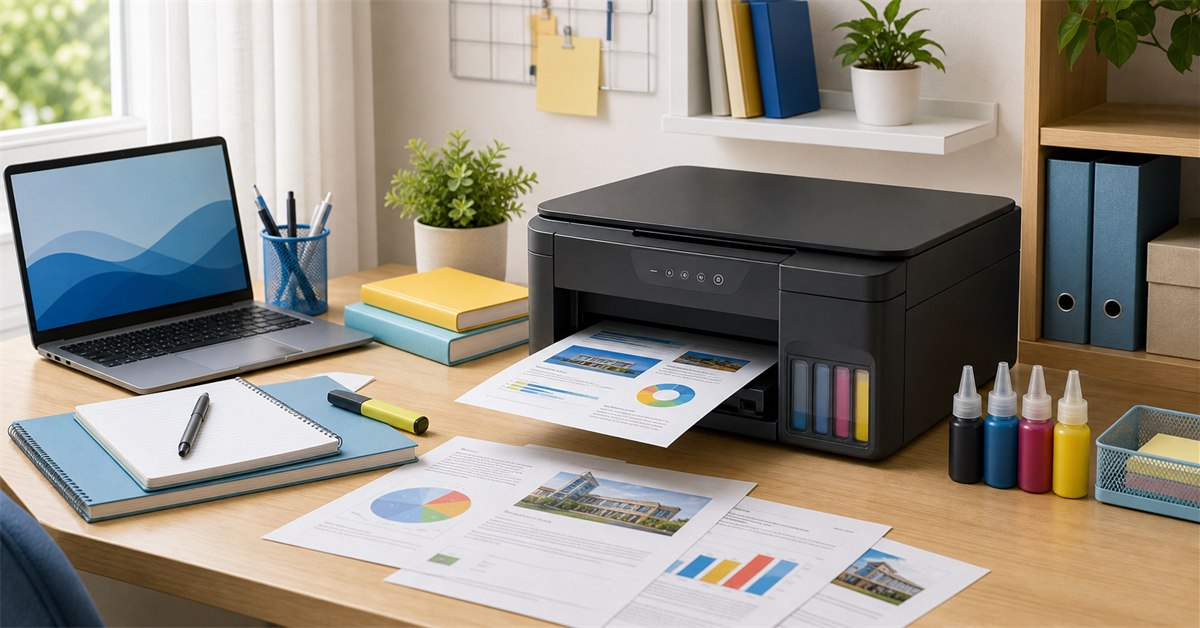
The best printer for Filipino students in 2026 is usually an ink tank all-in-one, not the cheapest cartridge printer. If you want one safe recommendation, choose Epson EcoTank L3250 for WiFi and long-term ink savings. Choose Epson EcoTank L3210 if USB printing is enough and you want the cheaper ink tank route. Choose Brother DCP-T420W if wireless printing and refillable ink matter. Choose HP DeskJet Ink Advantage 2337 only if printing is rare and upfront price is the main concern.
For a broader household guide, see our best printer Philippines 2026 guide. This student version is stricter about school use: reports, modules, reviewers, thesis drafts, scans, ID copies, dorm WiFi, phone printing, and ink cost. Pair this with the Filipino college student essentials checklist, student desk lamp guide, and budget phone guide if building a complete study setup.
Our top picks
- BEST OVERALLEpson EcoTank L3250₱7,000-₱9,500Check price
- BEST VALUE USBEpson EcoTank L3210₱5,500-₱7,000Check price
- BEST WIRELESS VALUEBrother DCP-T420W₱6,500-₱8,500Check price
- BEST COLOR PROJECTSCanon PIXMA G3020₱7,000-₱9,500Check price
- BEST LOW UPFRONTHP DeskJet Ink Advantage 2337₱2,500-₱3,500Check price
TL;DR: best student printers Philippines 2026
| Pick | Best for | Typical budget | Main caveat |
|---|---|---|---|
| Epson EcoTank L3250 | Best overall student printer | ₱7,000-₱9,500 | Higher upfront cost |
| Epson EcoTank L3210 | Best value USB ink tank | ₱5,500-₱7,000 | No WiFi |
| Brother DCP-T420W | Best wireless value | ₱6,500-₱8,500 | Check ink availability locally |
| Canon PIXMA G3020 | Best color projects and wireless | ₱7,000-₱9,500 | Photo projects use more ink |
| HP Smart Tank 580 | Best HP ink tank | ₱7,000-₱9,500 | Service and ink access matter |
| HP DeskJet Ink Advantage 2337 | Best low upfront all-in-one | ₱2,500-₱3,500 | Cartridges get expensive |
| Canon PIXMA E470 | Best cheap wireless cartridge | ₱3,500-₱5,000 | Not for heavy printing |
| Brother HL-L2320D / mono laser | Best black-and-white thesis drafts | ₱6,000-₱9,000 | No color and usually no scanner |
| Epson EcoTank L121 | Best printer-only ink tank | ₱4,500-₱6,000 | No scanner |
| Canon PIXMA TS207 | Cheapest print-only option | ₱2,000-₱3,000 | Cartridge cost and no scanner |
For most families, the best choice is not the cheapest printer. It is the printer with the lowest frustration and ink cost over one school year.
Ink tank vs cartridge for students
If the student prints every week, buy an ink tank. The upfront price is higher, but bottled ink usually lasts far longer and costs less per page than cartridges. This matters for modules, reviewers, thesis drafts, practice tests, project covers, and repeated corrections.
If the student prints only a few forms per month, a cheap cartridge printer can be acceptable. The danger is buying a ₱2,500 printer, then discovering that cartridges cost too much once school requirements pile up.
The practical rule:
- Rare printing: cheap cartridge printer is okay.
- Weekly school printing: ink tank is better.
- Heavy black-and-white drafts: mono laser is worth considering.
- Phone and tablet printing: choose WiFi.
- Forms, IDs, signed docs: buy an all-in-one with scanner.
The best printers for students
Epson EcoTank L3250
Our verdict: The best overall student printer because it combines low ink cost, print-scan-copy functions, and WiFi printing for phones, laptops, and shared family use.
Epson EcoTank L3250 is the safest student recommendation when the budget allows. It is an ink tank all-in-one, so it prints, scans, and copies without relying on tiny cartridges. The big student advantage is WiFi: phones, tablets, and laptops can print without plugging in a USB cable.
Choose this for college students, senior high students, families with multiple kids, and households that print modules or reviewers regularly. It costs more upfront than a basic DeskJet, but the bottled ink system is why it makes sense over time.
What we like
- Best overall student choice
- Ink tank keeps long-term print cost low
- Print, scan, and copy
- WiFi printing for phones and laptops
- Good for families with multiple students
Watch out for
- Higher upfront price
- Takes desk space
- Needs regular use to avoid inkjet clogging
- Original ink is still recommended
Epson EcoTank L3210
Our verdict: The best value ink tank if WiFi is not required, with low ink cost and all-in-one functions at a lower price than wireless EcoTank models.
Epson L3210 is the practical budget ink tank for students. It gives the most important functions: print, scan, and copy, with low-cost refillable ink. The missing feature is WiFi, so printing requires a USB connection.
That is not a dealbreaker for many homes. If the printer sits beside a family PC or laptop, L3210 can be the better value than L3250. Spend the savings on original ink bottles and paper instead.
What we like
- Lower price than wireless EcoTank models
- Very good long-term ink value
- Print, scan, and copy
- Good for regular school printouts
- Widely available in the Philippines
Watch out for
- No WiFi
- Needs USB cable and computer nearby
- Not ideal for phone-only printing
- Still needs regular use
Brother DCP-T420W
Our verdict: A strong wireless ink tank alternative for students and families who want refillable ink, WiFi, and all-in-one functions without defaulting to Epson.
Brother DCP-T420W is one of the strongest student alternatives to Epson because it gives wireless printing and refillable ink in a practical all-in-one body. It is good for homes where students print from phones or laptops in different rooms.
The main check is local support. Before buying, confirm Brother ink availability and warranty/service access near you. If those are fine, this is a very sensible student printer.
What we like
- Wireless ink tank value
- Print, scan, and copy
- Good for phone and laptop printing
- Alternative to Epson and Canon
- Useful for shared family printer setups
Watch out for
- Check ink availability locally
- Service access varies by area
- Larger than cheap cartridge printers
- Still needs regular inkjet maintenance
Canon PIXMA G3020
Our verdict: The best student pick for color-heavy projects, photo-heavy reports, and families that want wireless refillable-ink printing with Canon color output.
Canon PIXMA G3020 is the better pick when color output matters. Epson is a safe school-document default, but Canon often appeals to students who print graphics, photos, invitations, visual projects, and color-heavy reports.
Like other refillable ink printers, it makes sense only if it will be used regularly. If the student prints one document every two months, a cheaper printer may be enough. If projects and school reports are frequent, Canon G3020 is a strong long-term option.
What we like
- Good color and photo-oriented student pick
- Wireless refillable ink printer
- Print, scan, and copy
- Useful for visual projects
- Good family printer option
Watch out for
- Higher upfront cost
- Photo printing uses ink faster
- Needs original ink and maintenance
- Not necessary for text-only students
HP Smart Tank 580
Our verdict: The best HP option for students who want refillable ink instead of cartridge costs, with wireless convenience and familiar HP setup.
HP Smart Tank 580 is the HP model family to consider if the student prints regularly. It avoids the biggest problem of cheap DeskJets: cartridge cost. It also fits students who print from phones and laptops because wireless printing is part of the appeal.
The key is not buying the wrong HP. A cheap HP cartridge printer and an HP Smart Tank behave very differently over a school year. If the student prints weekly, choose Smart Tank over DeskJet when budget allows.
What we like
- Refillable HP option
- Wireless printing convenience
- Better for regular school printing than DeskJet cartridges
- Good for phone and laptop users
- Familiar HP brand
Watch out for
- Costs much more upfront than HP DeskJet
- Check original ink availability
- Bulkier than cartridge printers
- Compare against Epson and Brother prices
HP DeskJet Ink Advantage 2337
Our verdict: The best low-upfront all-in-one if the student prints rarely and needs basic print, scan, and copy more than low long-term ink cost.
HP DeskJet Ink Advantage 2337 exists for one reason: low upfront price. It can print, scan, and copy without requiring a ₱6,000 to ₱9,000 printer budget. That makes it tempting for students.
The warning is ink. Cartridge printers are fine for occasional school documents, but they become expensive when used weekly. If the student prints reviewers, modules, thesis drafts, or many project pages, this is the wrong place to save money.
What we like
- Low upfront price
- Print, scan, and copy
- Compact for small rooms
- Good for rare documents
- HP cartridges are easy to find
Watch out for
- Cartridge cost adds up quickly
- Not for regular weekly printing
- Usually USB-only in this class
- Slow compared with stronger models
Canon PIXMA E470
Our verdict: A cheap wireless cartridge option for light school use, useful if WiFi matters but print volume stays low.
Canon PIXMA E470 is a compromise. It gives wireless convenience at a lower price than most ink tank printers, but it still uses cartridges. That makes it best for light users, not heavy school printing.
Choose it if the student prints occasional assignments from a phone or laptop and values WiFi. Avoid it if the household expects weekly reviewers, long readings, or thesis drafts.
What we like
- Wireless at a lower price than ink tanks
- Good for light school use
- Can print from phones and laptops
- Compact enough for student rooms
- Canon brand familiarity
Watch out for
- Cartridge cost remains the issue
- Not for heavy printing
- Ink can run out at bad times
- Ink tank is better if budget allows
Brother HL-L2320D or Similar Mono Laser
Our verdict: The best choice for students who print many black-and-white thesis drafts, reviewers, readings, and practice tests.
Mono laser printers are underrated for students who print lots of black-and-white pages. They are fast, sharp, and efficient for text-heavy drafts. For law, medicine, accountancy, engineering readings, and thesis drafts, a mono laser can be more practical than a color inkjet.
The tradeoff is obvious: no color, and many mono laser models do not include a scanner. If the household needs scanning, choose an all-in-one ink tank or a laser all-in-one instead.
What we like
- Fast black-and-white printing
- Great for thesis drafts and reviewers
- Sharp text output
- Less ink-clog worry than inkjets
- Good for heavy text users
Watch out for
- No color
- Many models have no scanner
- Higher upfront than cheap cartridge printers
- Not ideal for project photos or charts
Epson EcoTank L121
Our verdict: A cheaper ink tank route if the household only needs printing and already has another way to scan documents.
Epson L121 is a good niche pick. It is an ink tank printer, but it is printer-only. That means it can cost less than all-in-one EcoTank models while still giving bottled ink economics.
For students, the missing scanner is the main reason to hesitate. Scanning IDs, signed forms, and handwritten work is common. Buy L121 only if scanning is already handled by a phone scanning app, another device, or a nearby office.
What we like
- Cheaper way into Epson ink tank printing
- Low long-term ink cost
- Good for regular documents
- Compact compared with all-in-ones
- Useful if scanning is not needed
Watch out for
- No scanner or copier
- USB-focused setup
- Less versatile for students
- Not ideal as the only household printer
Canon PIXMA TS207
Our verdict: The cheapest print-only route for very light school use, but it should not be mistaken for a long-term regular-printing solution.
Canon PIXMA TS207 is a budget fallback. It prints, but it does not solve the bigger student problem: scanning, copying, wireless convenience, and low long-term ink cost. Buy it only when upfront price is the hard limit.
If the student starts printing weekly, this can become false economy. A cheap printer with expensive cartridges is still expensive over time.
What we like
- Very low upfront printer price
- Compact size
- Fine for rare documents
- Canon brand familiarity
- Simple print-only setup
Watch out for
- No scanner
- No copier
- Cartridge cost can hurt
- Not good for regular school printing
Best printer by student type
| Student type | Best pick |
|---|---|
| College student printing weekly | Epson L3250 or Brother DCP-T420W |
| Budget household with one laptop | Epson L3210 |
| Phone/tablet-heavy student | Epson L3250, Brother DCP-T420W, or HP Smart Tank 580 |
| Photo and color projects | Canon PIXMA G3020 |
| Rare documents only | HP DeskJet 2337 or Canon TS207 |
| Thesis drafts and reviewers | Brother mono laser |
| Family with multiple students | Epson L3250 or Brother DCP-T420W |
| Printer-only need | Epson L121 |
If a student prints more than 50 to 100 pages per month, do not focus only on printer price. Ink cost and paper handling matter more.
Buying checklist
Before checkout, confirm:
- Is it ink tank, cartridge, or laser?
- Does it print, scan, and copy?
- Does it have WiFi if the student prints from a phone?
- Are original inks easy to buy locally?
- Is the warranty from an official or trusted seller?
- Does the listing include a USB cable if needed?
- Is the paper tray practical for the student's desk?
- Does the household have space for it?
Also budget for paper, extra ink, a dust cover, and a safe outlet. If the student uses a laptop, check our student desk lamp guide and power bank guide for the rest of the study setup.
Sources and freshness note
This guide was researched on May 29, 2026. Printer models, prices, bundles, and ink availability change often, so use the ranges as buying bands rather than fixed prices. Before checkout, recheck the exact model, warranty, included ink, cable, shipping fee, and seller status.
For product context, we checked official or brand pages where available, including Epson EcoTank L3250 information, Epson EcoTank L3210 information, Brother DCP-T420W information, Canon PIXMA G3020 information, and HP Smart Tank 580 information. Product cards use search links because individual marketplace seller pages change quickly.
FAQ
What is the best printer for students in the Philippines?
Epson EcoTank L3250 is the best overall student printer if WiFi matters. Epson L3210 is the better value if USB is enough. Both are ink tank printers, which are usually cheaper per page than cartridge printers for regular school printing.
Are ink tank printers worth it for students?
Yes, if the student prints reports, readings, modules, reviewers, thesis drafts, or color projects regularly. Ink tank printers cost more upfront but use bottled ink that is much cheaper per page than cartridges.
Is a cheap HP DeskJet enough for school?
A cheap HP DeskJet can work for rare documents and light printing, but the cartridge cost can become expensive for weekly school requirements. For regular printing, buy an ink tank instead.
Do students need WiFi printing?
WiFi printing is very useful if the student prints from a phone, tablet, shared family laptop, or dorm setup. If one laptop is always beside the printer, a USB-only printer like Epson L3210 can still be fine.
What printer is best for thesis printing?
For black-and-white thesis drafts, a mono laser printer is efficient and fast. For final color charts, scanned documents, and mixed school work, an ink tank all-in-one such as Epson L3250, Brother DCP-T420W, or Canon G3020 is more versatile.
Which is cheaper to maintain: Epson, Canon, Brother, or HP?
Refillable ink tank models from Epson, Canon, Brother, and HP are all much cheaper to maintain than cartridge printers. The cheapest long-term option depends on original ink availability, service access, and how often the student prints.
Should I buy a printer with scanner?
Yes for most students. A scanner is useful for IDs, forms, handwritten assignments, signed documents, receipts, and school requirements. Printer-only models are fine only if the household already has a scanner or rarely scans.
How do I avoid printer problems in humid Philippine homes?
Store paper in a sealed wrapper, print a few pages regularly, keep the printer covered when not in use, use original ink when possible, and avoid leaving inkjet printers unused for months.
Deeper buying and planning guide
Best Printers Philippines for Students in 2026 should be planned around the student's actual week. School rules, commute time, class requirements, rainy-season preparation, and family budget all affect what is useful. A good guide helps readers avoid buying too early, too much, or too cheaply for items that need to last.
The primary keyword focus is Best Printers Philippines for Students 2026, but the page should also answer related search intent naturally: who it is for, when it matters, what to check first, what to avoid, and how to adapt the advice in the Philippines. For AI SEO, the goal is not to repeat the keyword mechanically. The goal is to give clear, extractable answers that can stand alone in a search snippet, AI Overview, or chatbot summary without losing the practical context.
How to make a smart decision
Start with the situation, not the product or idea. A student, a parent, a commuter, a remote worker, and a holiday host may all search for Best Printers Philippines for Students in 2026, but they do not need the same answer. The best decision comes from matching the recommendation to budget, timing, risk, and the consequence of getting it wrong. If a cheap option fails after one week, it may cost more than a mid-range choice. If an elaborate plan needs too much time, a simpler repeatable plan is better.
Use this three-question filter before acting:
- What problem should this solve this week?
- What detail can change before I buy, travel, cook, attend, or prepare?
- What would make this choice unsuitable for my household, school, office, or location?
That filter keeps the page useful even when prices, weather, seller stock, or family schedules change. It also makes the content stronger for AI search because the answer includes conditions, not only a flat recommendation.
Philippines-specific checklist
| Check | What to do | Why it matters |
|---|---|---|
| Requirement | Write down the real use case before comparing options | Prevents buying for a fantasy version of the week |
| Budget ceiling | Set the maximum total cost including shipping or extras | Keeps the decision realistic |
| Verification | Check seller, date, policy, size, and current availability | Avoids outdated or misleading claims |
| Local adaptation | Adjust for school, office, barangay, family, or transport rules | Philippine routines vary by place |
| After-use review | Keep what worked and remove what did not | Makes the next decision faster |
Fact-check and source notes
For Best Printers Philippines for Students in 2026, the main fact-checking risk is overclaiming. Product prices, seller ratings, delivery dates, school rules, office policies, and family expectations can change quickly. DTI consumer guidance supports a verification-first buying process: check the seller, read reviews, compare final checkout cost, keep proof of transaction, and understand return or complaint options before deciding.
Sources used for this fact-check layer:
The safest rule is to separate stable guidance from changeable details. Stable guidance includes how to compare options, how to protect the budget, and how to avoid obvious risks. Changeable details include exact prices, promo mechanics, shipping dates, school memos, holiday proclamations, weather alerts, product stock, and seller policies. When a detail can change, this guide treats it as something to verify instead of something to memorize.
SEO and AI-search answer structure
For traditional SEO, Best Printers Philippines for Students in 2026 should include the main keyword in the title, introduction, headings, and supporting copy without stuffing. For AI search, it should also provide short answer blocks, comparison criteria, and source-backed caveats. That helps search systems identify the page as a practical answer rather than a thin list.
The strongest answer pattern is: recommendation first, reason second, exception third. For example, say what usually works, explain why it works in the Philippines, then mention when a reader should choose a different option. This is clearer than a long paragraph that hides the actual answer.
Existing quick-answer points to preserve:
- What is the best printer for students in the Philippines?: Epson EcoTank L3250 is the best overall student printer if WiFi matters. Epson L3210 is the better value if USB is enough. Both are ink tank printers, which are usually cheaper per page than cartridge printers for regular school printing.
- Are ink tank printers worth it for students?: Yes, if the student prints reports, readings, modules, reviewers, thesis drafts, or color projects regularly. Ink tank printers cost more upfront but use bottled ink that is much cheaper per page than cartridges.
- Is a cheap HP DeskJet enough for school?: A cheap HP DeskJet can work for rare documents and light printing, but the cartridge cost can become expensive for weekly school requirements. For regular printing, buy an ink tank instead.
- Do students need WiFi printing?: WiFi printing is very useful if the student prints from a phone, tablet, shared family laptop, or dorm setup. If one laptop is always beside the printer, a USB-only printer like Epson L3210 can still be fine.
Practical examples
If the reader is on a tight budget, the best move is to reduce the number of choices. Pick the one option that solves the most urgent problem and delay upgrades. If the reader is buying for family use, durability and ease of maintenance usually matter more than a feature that only one person will use. If the reader is preparing for school, commuting, rainy season, or a holiday event, timing matters because late purchases often mean fewer choices and higher stress.
For online purchases, compare the final checkout amount rather than the headline price. Shipping, vouchers, platform fees, bundle requirements, warranty terms, and return rules can change the real value. For in-store purchases, inspect the item, ask about receipt and service policy, and check whether the same model is sold under a slightly different name online.
Common weak spots to avoid
Do not rely on one viral recommendation. Do not assume the most expensive option is automatically the best. Do not treat old prices as current. Do not ignore return policies. Do not buy a product or follow a plan only because it looks good in photos. Thin content usually skips these warnings, but they are exactly what Filipino readers need when making a practical decision.
A stronger page also avoids fake certainty. If there is no official price, say prices vary. If a practice differs by region, say it differs. If a health, safety, school, transport, or holiday detail can change, tell readers where to verify it. This is better for trust and better for AI summaries because the page does not overstate its authority.
Short answers for AI search
What is the fastest way to use Best Printers Philippines for Students in 2026?
Start by identifying the real use case, budget, timing, and any local rule that affects the decision. Then compare only the options that match those limits.
What should readers fact-check before following Best Printers Philippines for Students in 2026?
Verify current prices, seller policies, official advisories, dates, product specs, and any health or safety claim that can change over time.
How does this guide help with AI search results?
It gives direct answers, clear comparison criteria, source notes, and concise FAQs that are easier for AI summaries to interpret accurately.
What is the most common mistake?
The most common mistake is copying a generic recommendation without checking whether it fits the reader's location, budget, schedule, and actual need.
What makes this advice practical in the Philippines?
It accounts for changing prices, weather, transport, school or office rules, and household budgets instead of assuming perfect conditions.
Bottom-line recommendation
Use Best Printers Philippines for Students in 2026 as a practical starting point, then verify the details that can change before acting. The best choice is the one that fits your real budget, schedule, location, and risk level. If two options look similar, choose the one with clearer terms, better evidence, easier after-sales support, and fewer hidden costs.
A useful editorial check for Best Printers Philippines for Students in 2026 is whether a reader can act after one pass. If the page only says what is nice, it is still thin. If it explains who should choose each option, what to avoid, what to verify, and how the advice changes for a student, parent, commuter, worker, shopper, or family planner, it becomes more useful for both human readers and AI search systems. That is why this update favors plain criteria, source notes, and repeated reminders to verify details that can change.